App Picks - September 2026
iOS 27, macOS 27, and the rest are here, and so are the app updates

Now that the '27' series of updates from Apple has arrived, so have a bunch of great apps that take advantage of what's new, including some great Accessibility features. Developers have been working hard behind the scenes to make sure their apps are ready for this week, especially with the launch of the iPhone 18 Pro and Pro Max.
None of the below apps have been AI-generated - they're all curated by developers who have a passion to solve an issue that means something to them.
For those who got in touch - thank you for sending me emails that were not AI-generated this time. Nevertheless, I'd like to see mockups that feature new voices from now on - sometimes I feel like I'm looking at the same onboarding screen. For now, though, here is the biggest App Picks list so far to mark the launch of iOS 27 and others. As always, if you have a new or updated app you're working on, do get in touch.
I also have a kind request - I've had an aim to grow the newsletter to 500 by the year's end - and I'm surprisingly closer than I thought I'd be at the time of writing. If you'd like to help, just follow this link, and you'll be signed up in moments, with future issues landing in your mailbox - or Letterboxx.
ShareShot
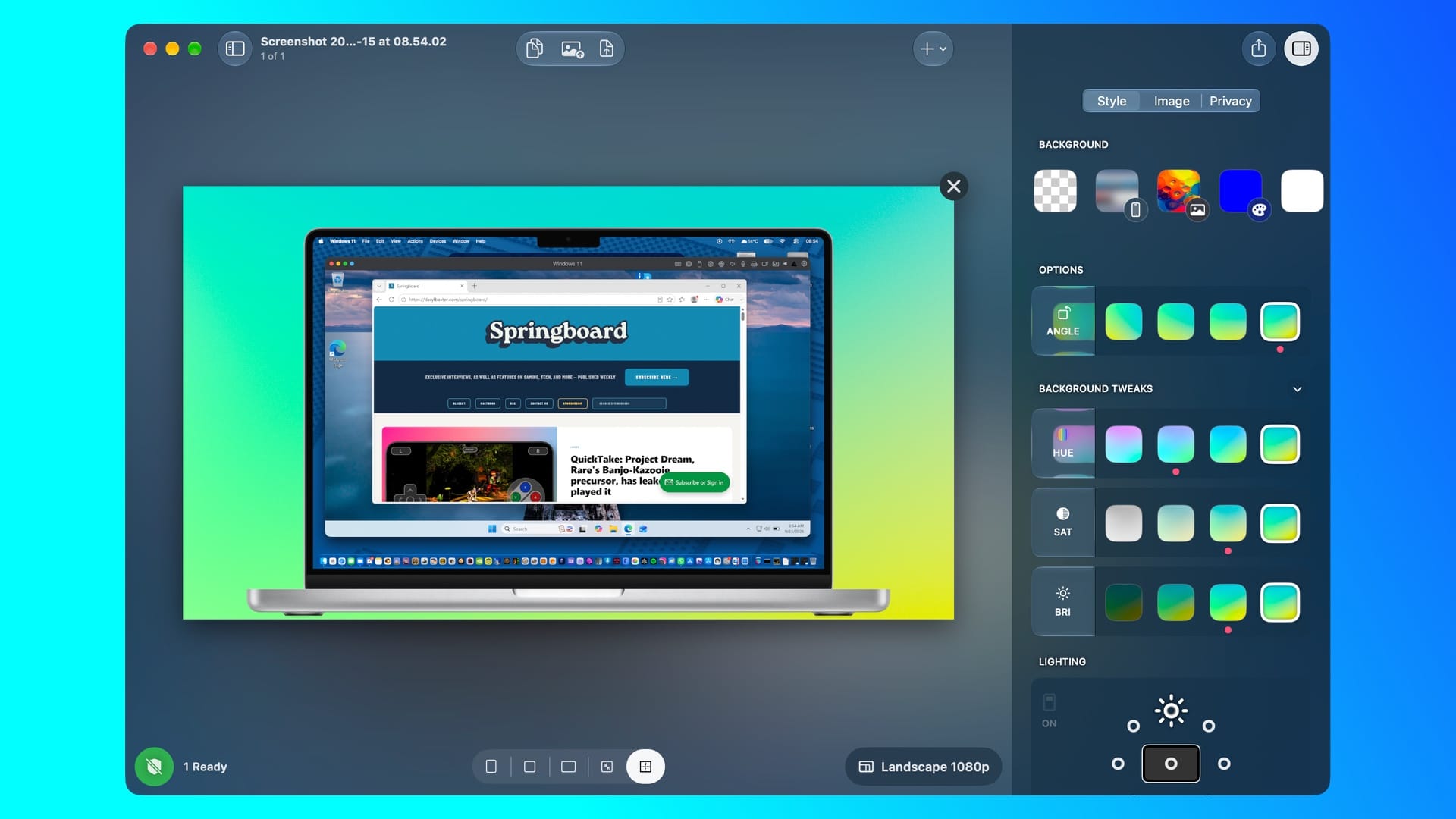
I've been a longtime ShareShot user, and for good reason. Almost every header you've seen has been made with the app, developed by Marc Palmer and Mark Levy of Montana Floss Co. Sometimes you don't even need to drop an image in - ShareShot usually finds it, and you can export it in the resolution you need, along with the right gradients to fit your project.
For version 2.0, you can batch process a bunch of images, and a favourite feature of mine, Privacy Redactions, uses Apple’s on-device Vision framework to find and hide data such as Names, Dates, Faces, Financial information, QR codes, and Trigger Phrases on imported screenshots. I would love to see the ability to have more than one device in one image, along with ways of reducing file sizes when exporting an image. However, along with a redesigned macOS app, ShareShot 2.0 is a fantastic update, which you can download for free, but it does have a monthly subscription of $1.99/£1.99 or $14.99/£14.99 for the year.
DoMarks
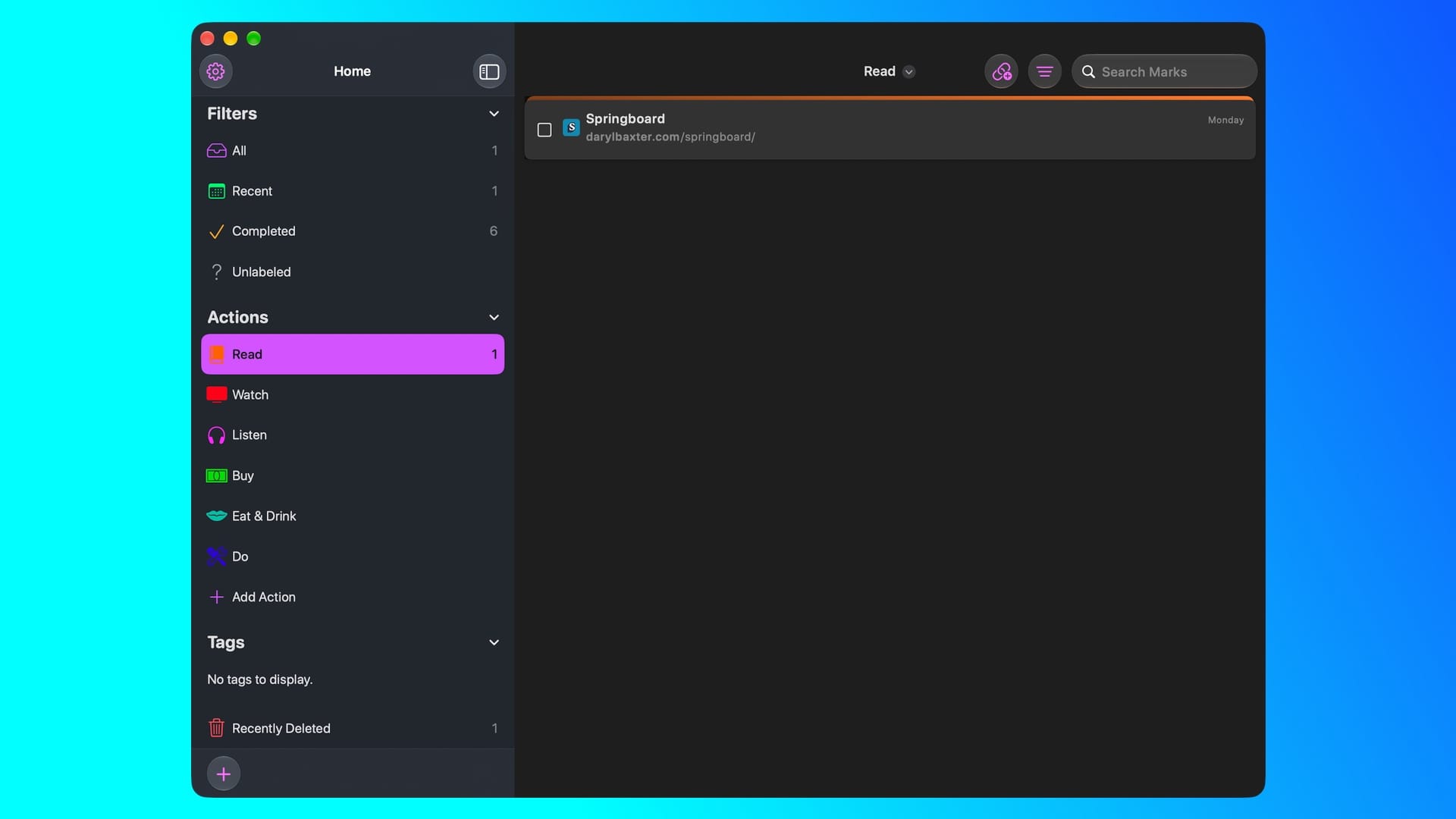
For years, I've tried to keep my web browser bookmarks to a maximum of five, with an optional extra for any projects I'm working on. I've always felt that, apart from having them as easy ways to access certain websites, they should be more. DoMarks, by Josh Hrach, seems to be the answer to that. Simply add some bookmarks, tag them as a certain type, and go back to them when you want.
In version 4.0, which launched alongside iOS 27, macOS 27, and the others on September 14, it brings in redesigned bookmark lists, adds a mark within Control Center, and more. During my time with it, I've come to enjoy using it on macOS, especially. This may be because I'm a visual learner, but it'd be nice to see a small screengrab of the existing marks, instead of looking at a URL and the date they were added. Nevertheless, DoMarks is essential if you use bookmarks as a to-do list, which is why I'll be using it far more from now on.
Framous
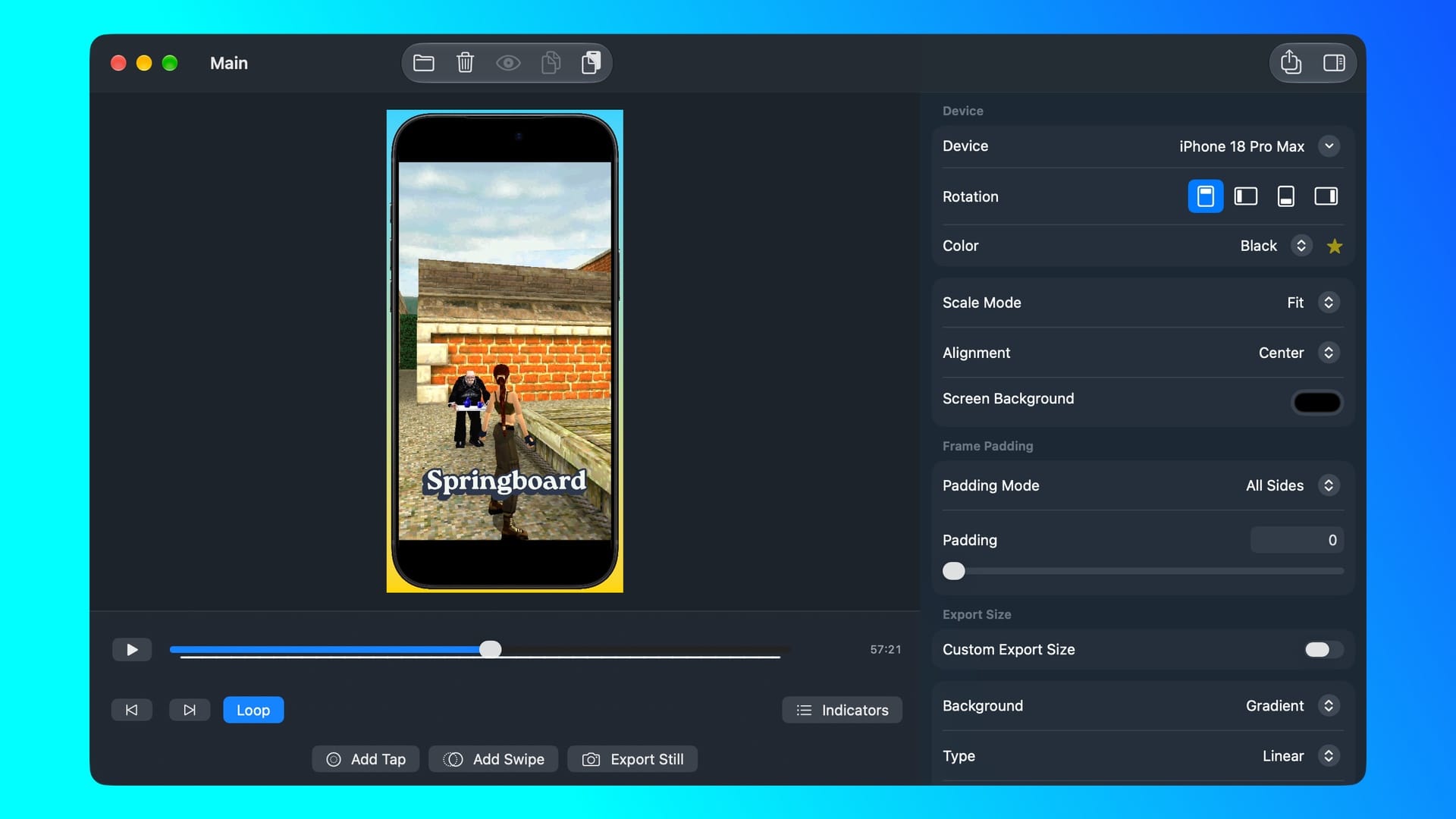
Framous, developed by Charlie Chapman, is another app that can give you images with frames around your screenshots, but it does it slightly differently from ShareShot, depending on your needs. First off, you can add more than one screenshot to one image, and you can easily swap them around.
For iOS 27 and the other updates, there's now the ability to have a video playing, which can be great for TikTok and YouTube videos if needed, especially if you're a developer. iPhone 18 Pro, Pro Max, and iPhone Duo frames are also available to use, along with macOS 27 support. You can access the full Framous experience for $9.99/£9.99, along with buying new frames for $19.99/£19.99.
Obscura V
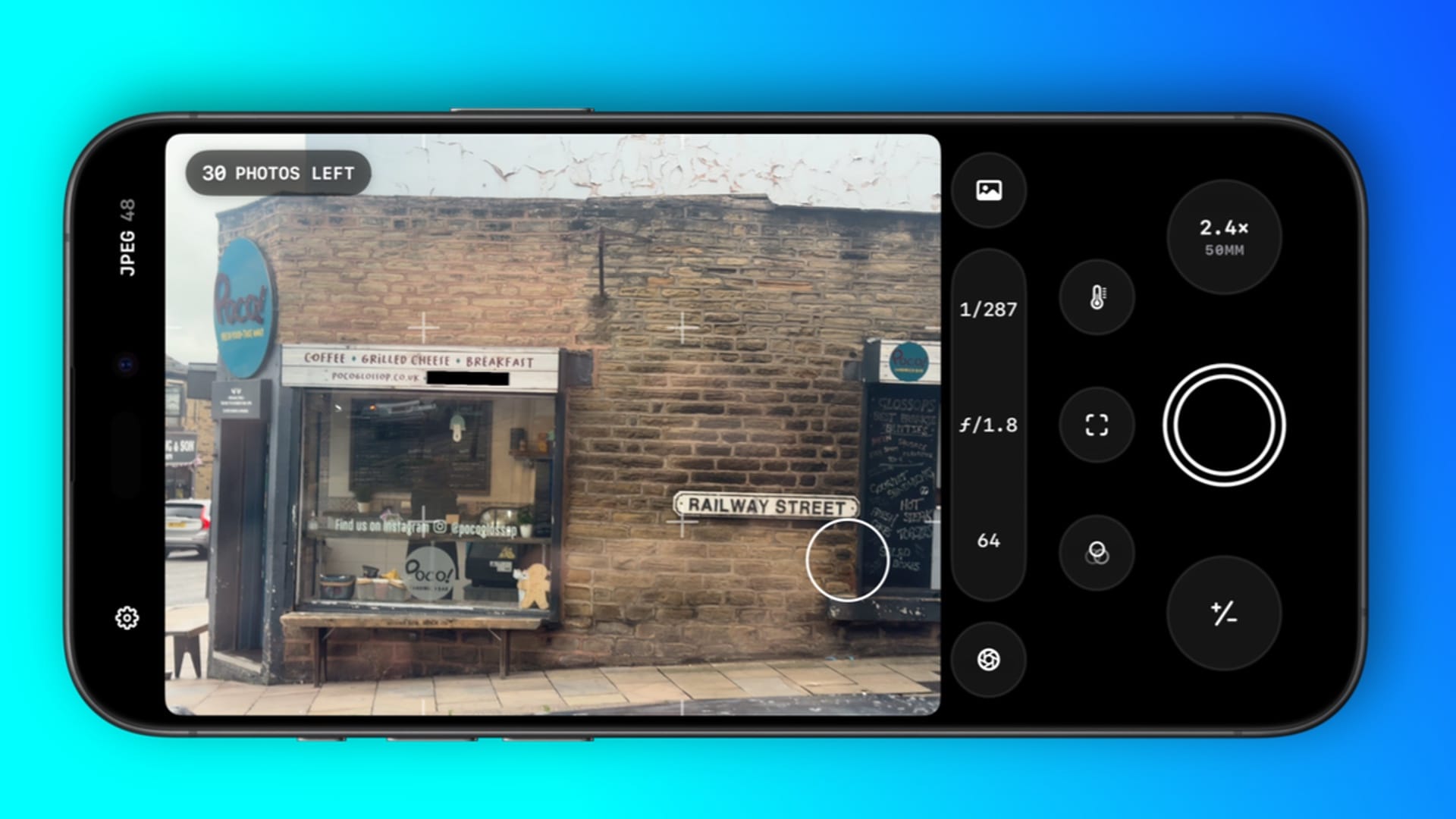
No, apparently not a reference to MGS V: Phantom Pain, but rather the next major version of Ben Rice McCarthy's fantastic camera app that I've covered for years by now. Obscura is one of those camera apps that you wish Apple would take influence from. Even in iOS 27 with the ability to add some features to the Camera app, I still find it a hassle to use with the necessary gestures and swipes so I can switch between video and photo modes.
Obscura V brings a Macro Mode that actually locks to a certain lens, so you don't have that nauseous back and forth when getting up close to a subject. Video mode is allegedly improved, although I've not experienced any issues in the past. Regardless, filters can be saved here, and the controls look even better to use than in Apple's camera app. Ultra mode, which features RAW/ProRAW capture, Histogram, custom themes, and more, costs $2.99 / £2.99 a month or $24.99 / £24.99 for the year. For what McCarthy's done in Obscura over the years, especially for this version, the price is more than worth it.
Indigo
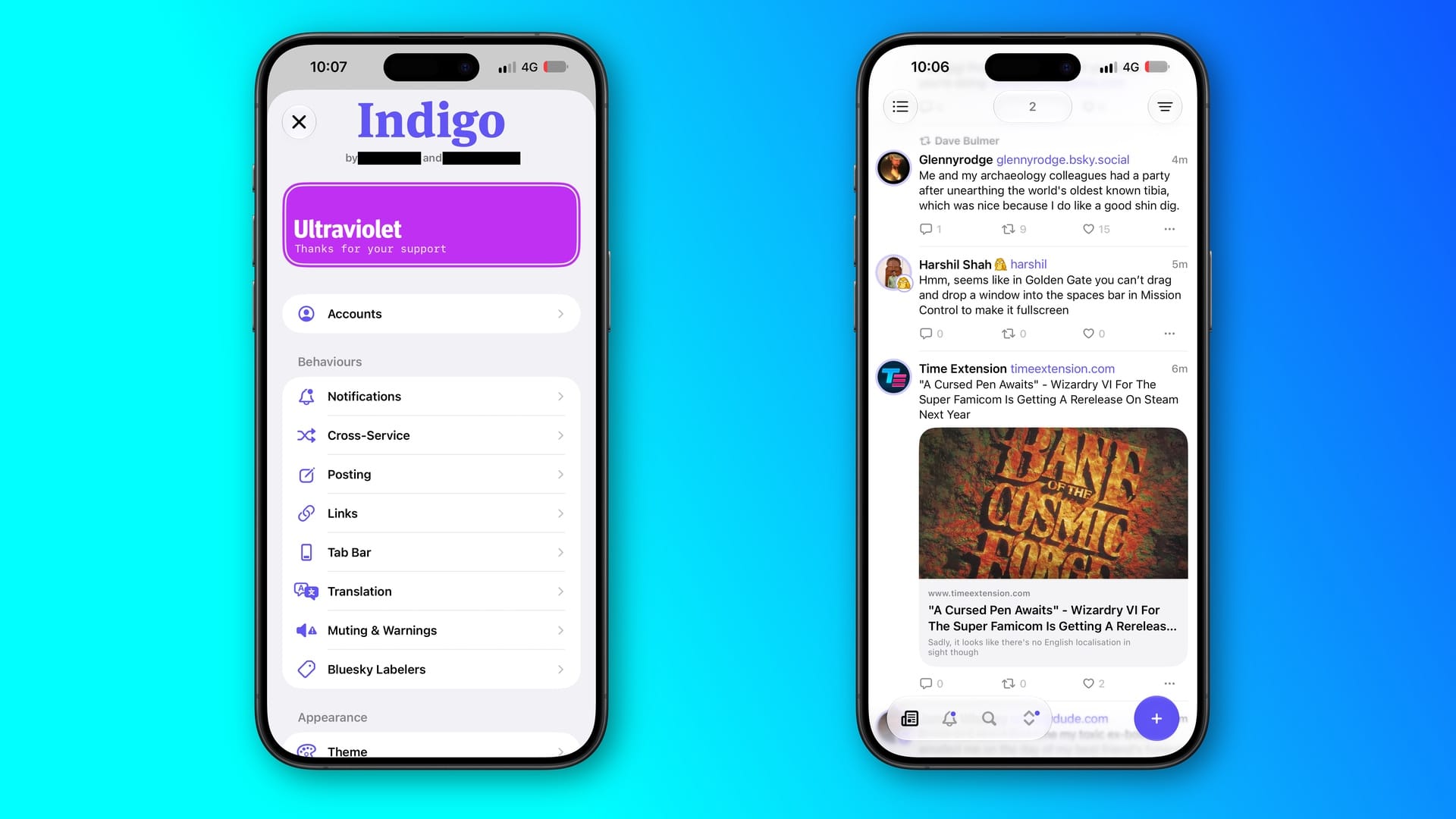
I've been a big user of the cross-posting app Indigo since its May launch, developed by Soapbox Software, consisting of Aaron Vegh and Ben Rice McCarthy. Available for free on Mac, iPhone, and iPad in read-only mode, but you can pay to unlock it for $4.99 / £2.99 a month, $35 / £22.90 a year, or $120 / £77.99 for a lifetime purchase. There was a big 1.3 update earlier this month, which features unified timelines, a great carousel view to switch between your feeds, improved mentions, and lots more.
VisionDesk
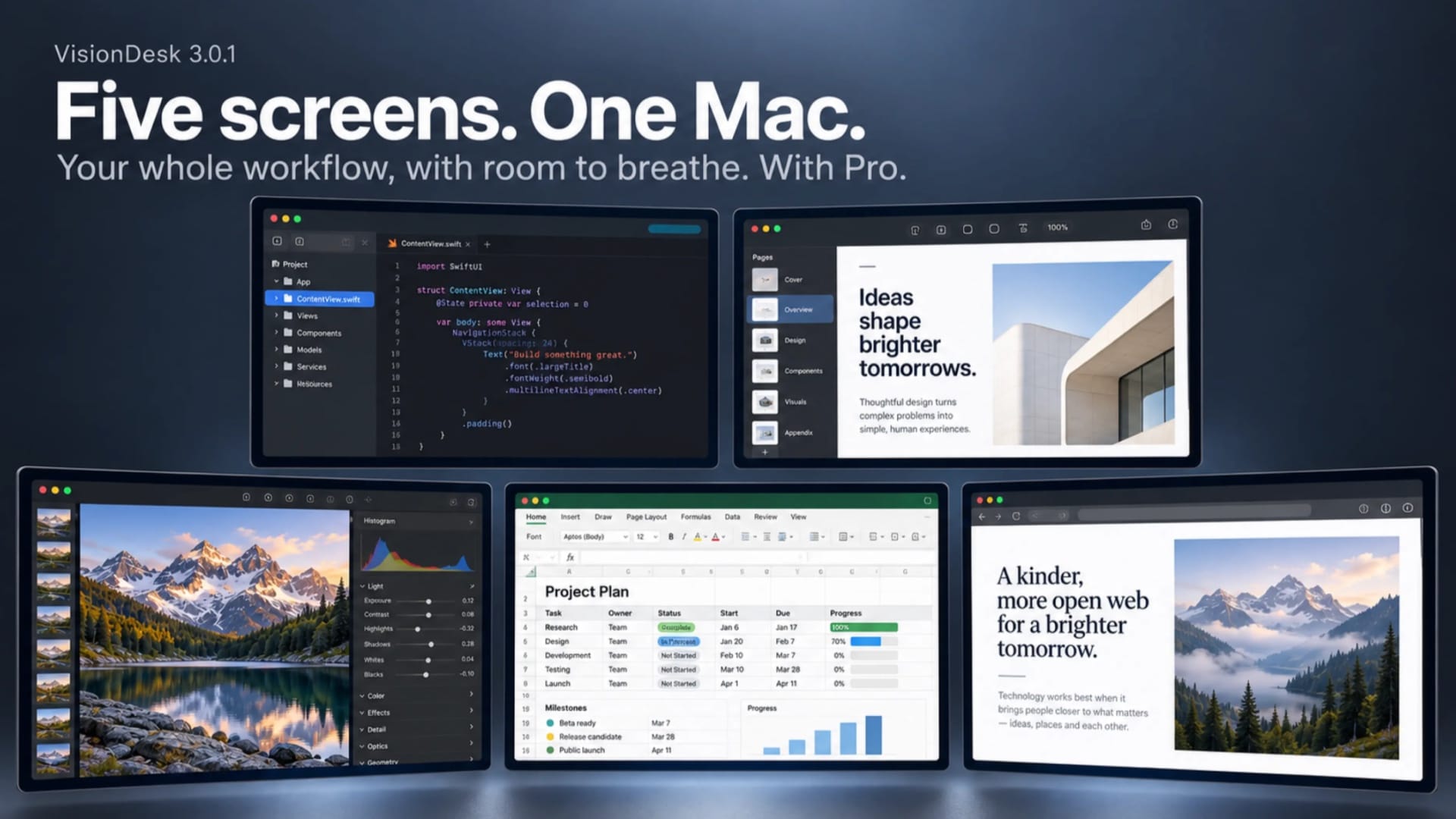
I was hoping we'd see a cheaper Vision Pro model by now, as the apps I've seen this year have been impressive. But for now, the headset is still relegated to the ultra high-end. Nevertheless, seeing apps like VisionDesk showcase how good the device can be for getting work done. Developed by Usi Gren, you can use one free display in portrait, ultrawide, and more. For $7.99 / £7.99 a month or $59.99 / £59.99 a year with a 14-day free trial, you get to use even more monitors at once, giving you the ultimate desk that would have otherwise cost you thousands of pounds.
Version 2.0 for visionOS 27 adds Live 3D - flat Mac windows rendered with real spatial depth, including Side-by-Side and Over-Under material. VisionDesk is an almost great example of justifying the high price you paid for a Vision Pro. The headset didn't get much of a mention this year by Apple, but developers like Gren are flying the spatial flag for it.
TV Launcher
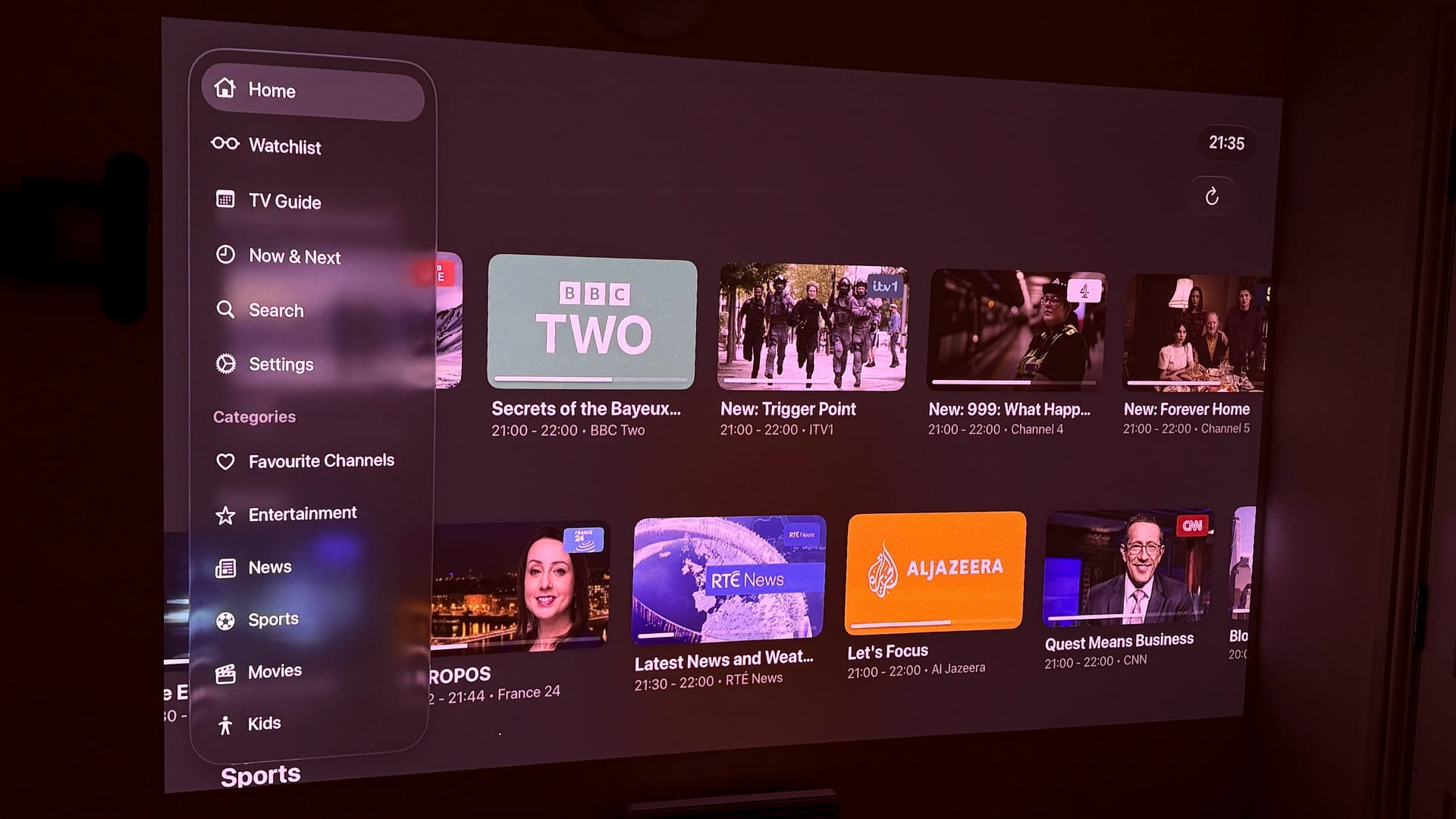
One of the most baffling omissions I find on Apple TV is no easy way to access a TV Guide that lets you watch local shows. Developer Adam Foot clearly felt the same, which is why he made TV Launcher. Available on iOS, iPadOS, macOS, visionOS, watchOS, as well as tvOS for $6.99 / £6.99, you can easily go through channels, like I do in the UK, to keep track of what's on.
Shows in the latest 3.2 update for TV Launcher are auto-added to a watchlist to save time for you, as well as having a better sidebar on tvOS to show individual categories and apps, and more. But that's not all from Foot - he's updated almost all of the impressive apps he has, such as TV Remote and Home Batteries - so do check them out.
Things 3
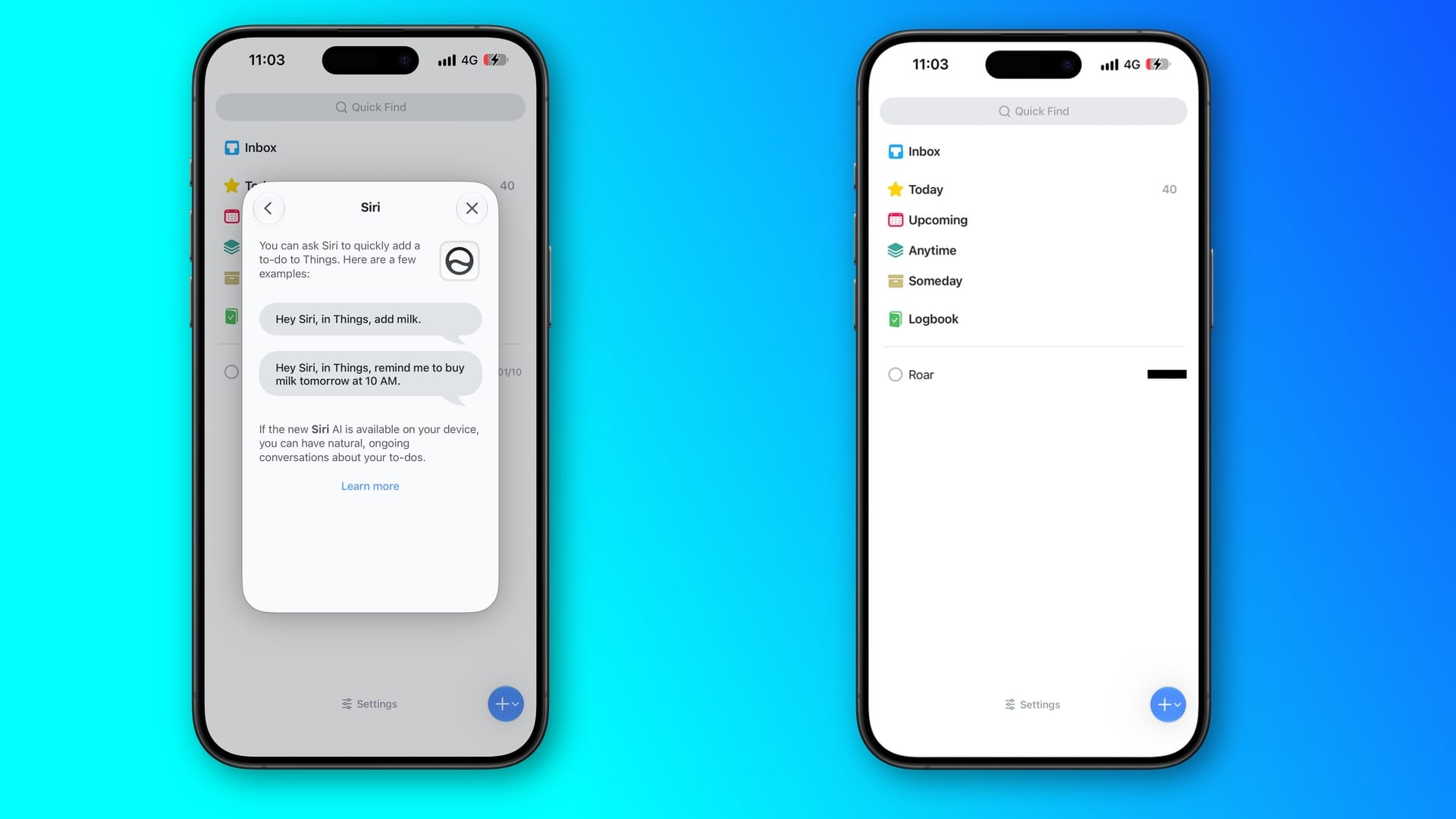
Things 3 by Cultured Code has been an essential to-do list app for me. From planning out the books to noting down some observations for reviews, I've always been enamoured by how simple it's been to manage the many tasks I add to Things 3. In its newest update, there's an extra-large widget to use, and there's support for Siri AI, meaning you can ask it to add tasks and reminders to the app without going into the app directly.
As always with Things 3, there are different versions you can buy, which are listed here. But as far as I'm concerned, the cost has paid for itself many times over, and I'm looking forward to what else Cultured Code has planned for the app.
Ambre
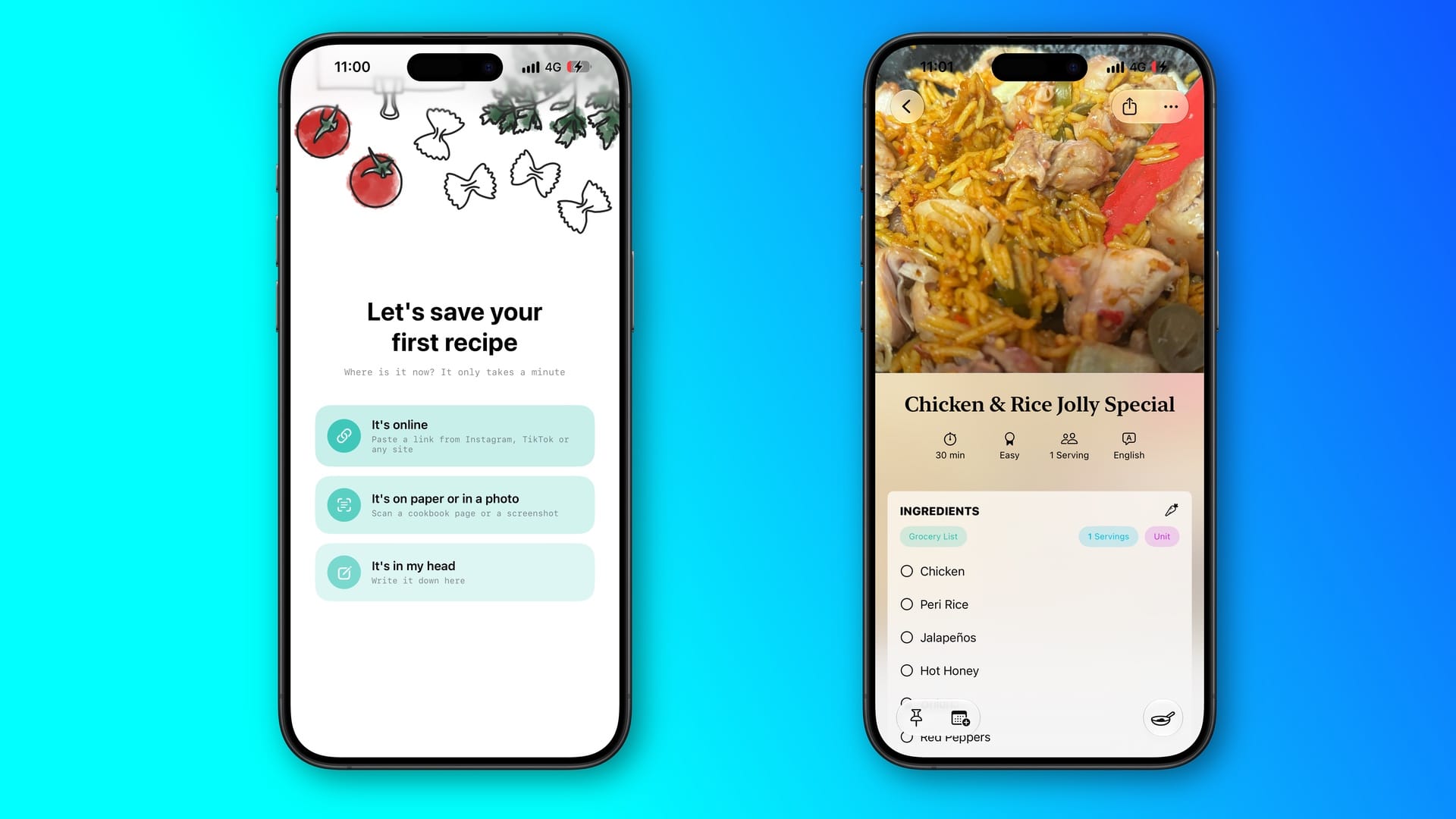
For years now, I've been a big fan of Ambre, developed by Sofia Larsson and César Pinto Castillo. I love to make meals from scratch, and I'd previously keep track by taking photos of how certain dishes would begin and end, along with some rough notes via the Notes app. But Ambre helped me consolidate this into an easy-to-use list of what I've made in the past, how I did it, and what I used.
It's an app that's ideal for picking out certain memories of how some food has made me feel over the past few years, and how the tastes encouraged me to make some dishes again. In Ambre 5, available since September 14, you can now invite family and friends into 'Cooking Circles', letting you all bounce recipe ideas with one another, as well as using Siri AI to help keep you on track when making something, step by step. There are a bunch more features in this version, and I strongly encourage you to try Ambre out.
VividWalls
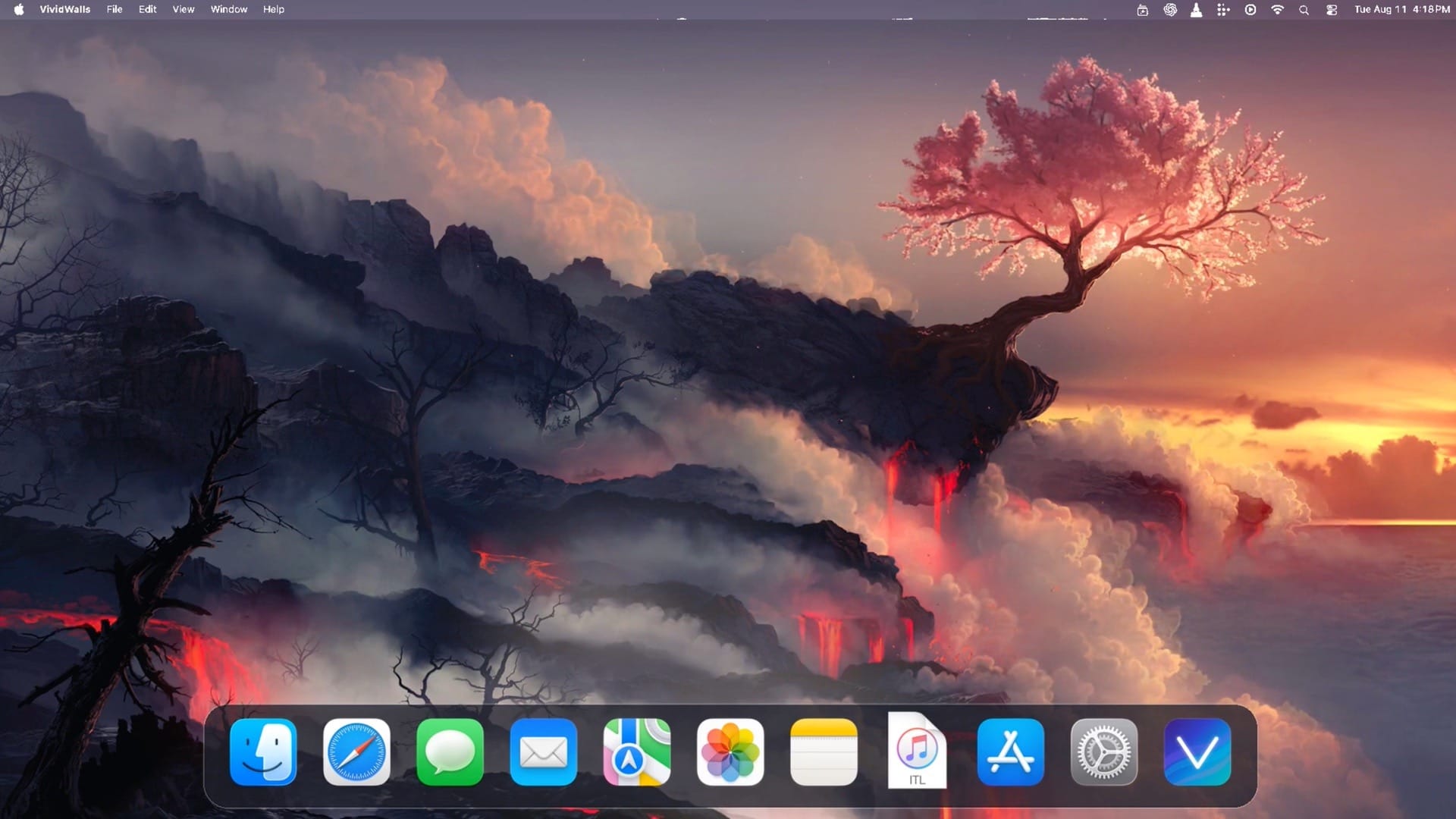
Back when I had a Gaming PC, I'd use an app called Wallpaper Engine, which would let me add animated wallpapers to my Windows desktop. However, there's never been anything similar for macOS, apart from some animated wallpapers in recent updates. But VividWalls, developed by James Goodnight and available for $9.99 / £9.99, fills that gap by being compatible with the Wallpaper Engine files, meaning you can have the same desktop wallpaper as your PC.
Although macOS Golden Gate is a massive improvement from last year's Tahoe, the brown-shade wallpapers are terrible, so it's nice to have an alternative option via VividWalls.
Letterboxx
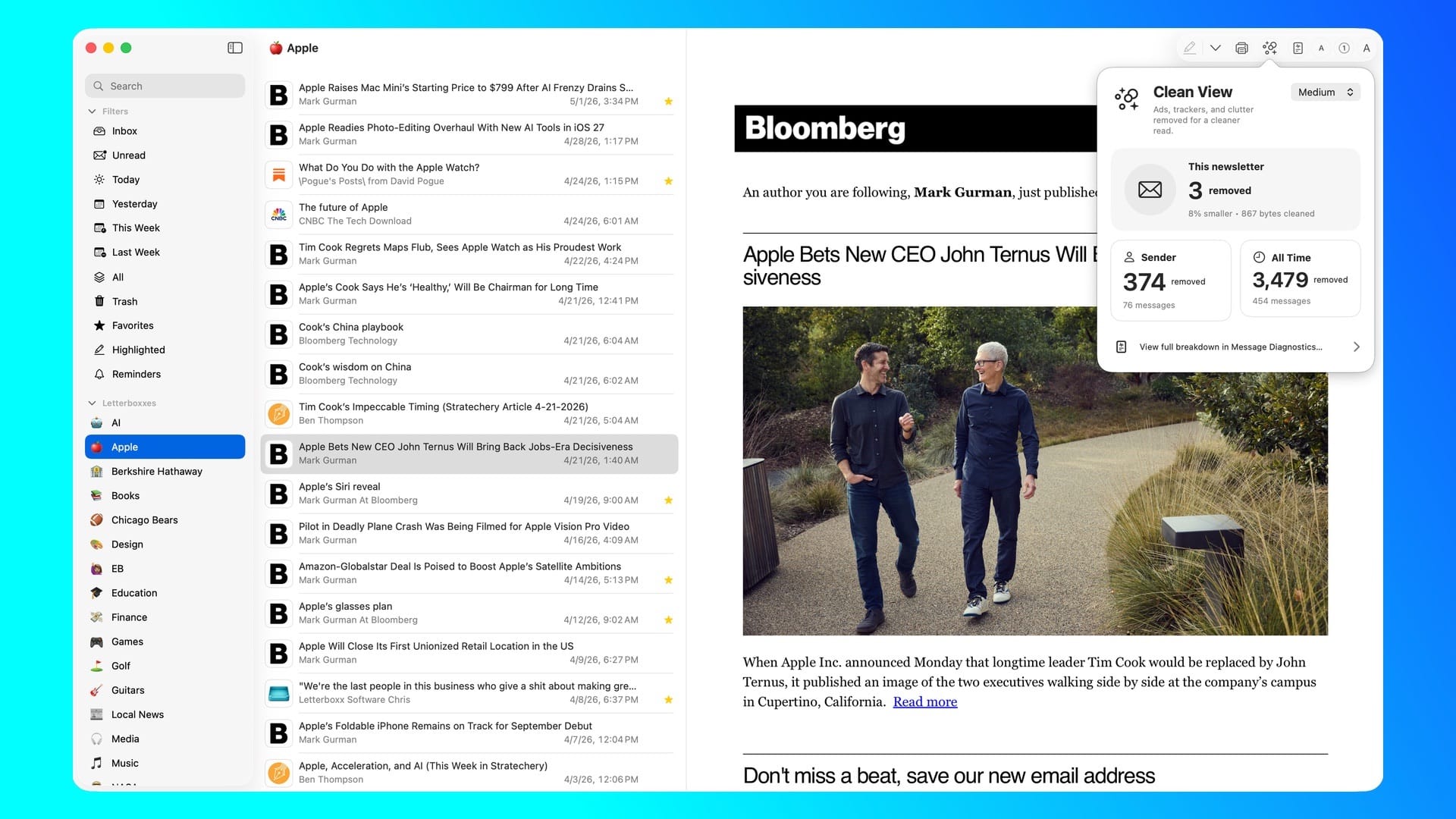
You're likely reading this month's App Picks in your mailbox (but if you aren't, you can make sure next month's will be right here), but with plenty of other newsletters you've got in a queue to read. It can feel overwhelming at times - and I've been there. But Letterboxx, developed by Chris Anderson, aims to help with that. Available for $4.99 / £4.99 a month or $39.99 / £39.99 a year with a 14-day free trial, the app scans your inbox for any subscribed newsletters and parses them into Letterboxx, giving you a one-stop place to read all of them in one go.
I've found Letterboxx to be fantastic for this already - as I'm subscribed to others like Read Only Memo, One More Catch, Pixels and Pizza, and more, it's been easy to read all of these in one place. Anderson is also working on an iPadOS version - but I can't help but wonder how well an iPhone Duo version could work too.
Bluetooth Browser
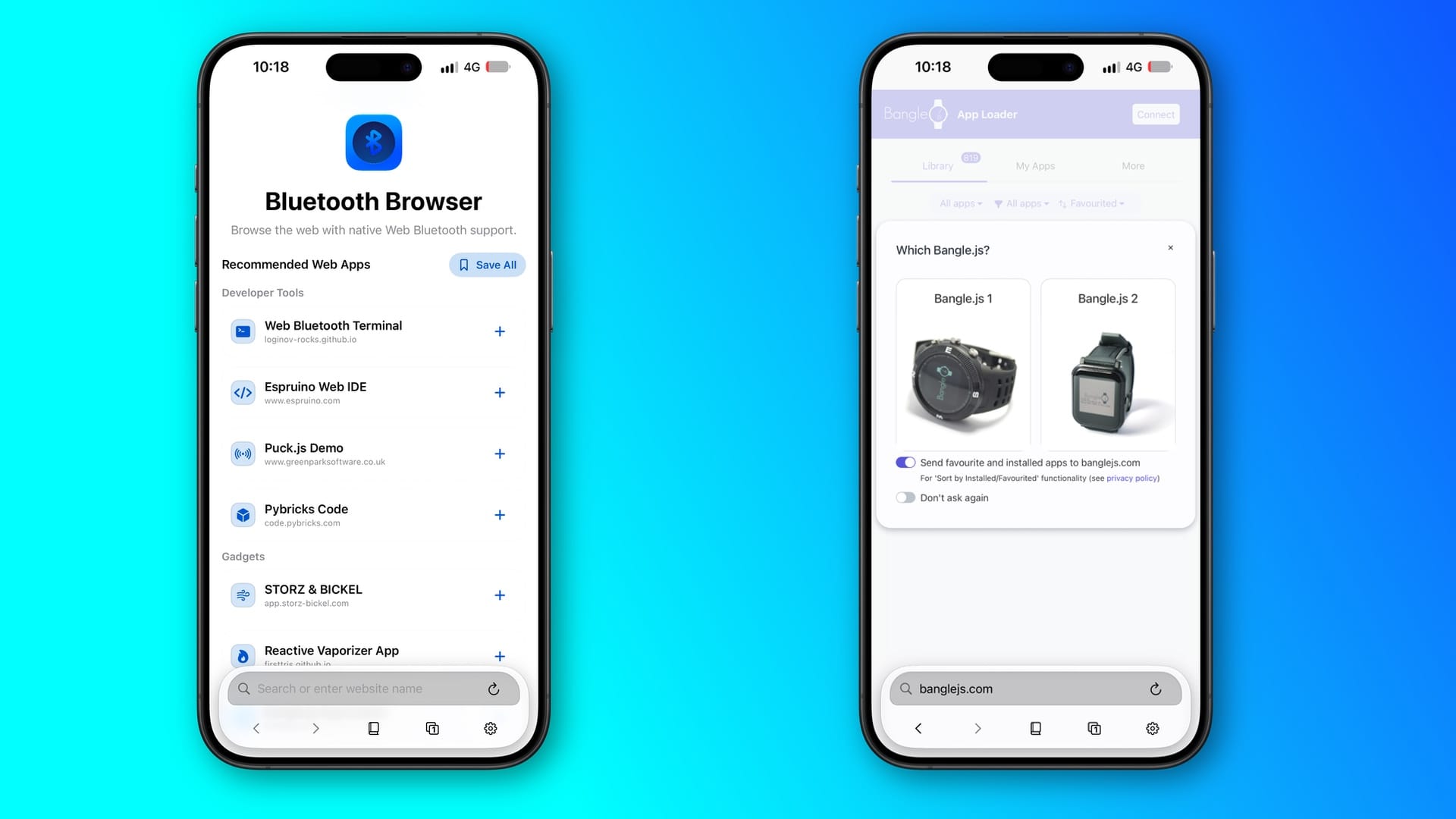
At first, I wasn't sure who Bluetooth Browser, made by Angelo Cammalleri, was for. But the app is one of those where you don't realise its usefulness until you spend a good ten minutes on it. Say you've got a bunch of Bluetooth devices connected to your Mac - a keyboard, headphones, perhaps PyBricks (Lego Motors). You can control these via the web browser here, without needing to go to the Settings app.
Granted, Bluetooth Browser is an app that may be more suitable for power users, but to have all of your connected devices in one place with lots of control available to you is something you may perhaps realise you've always needed. Bluetooth Browser is free to download, but there are ways of tipping Cammalleri within the app - and it's more than deserved.
Coca
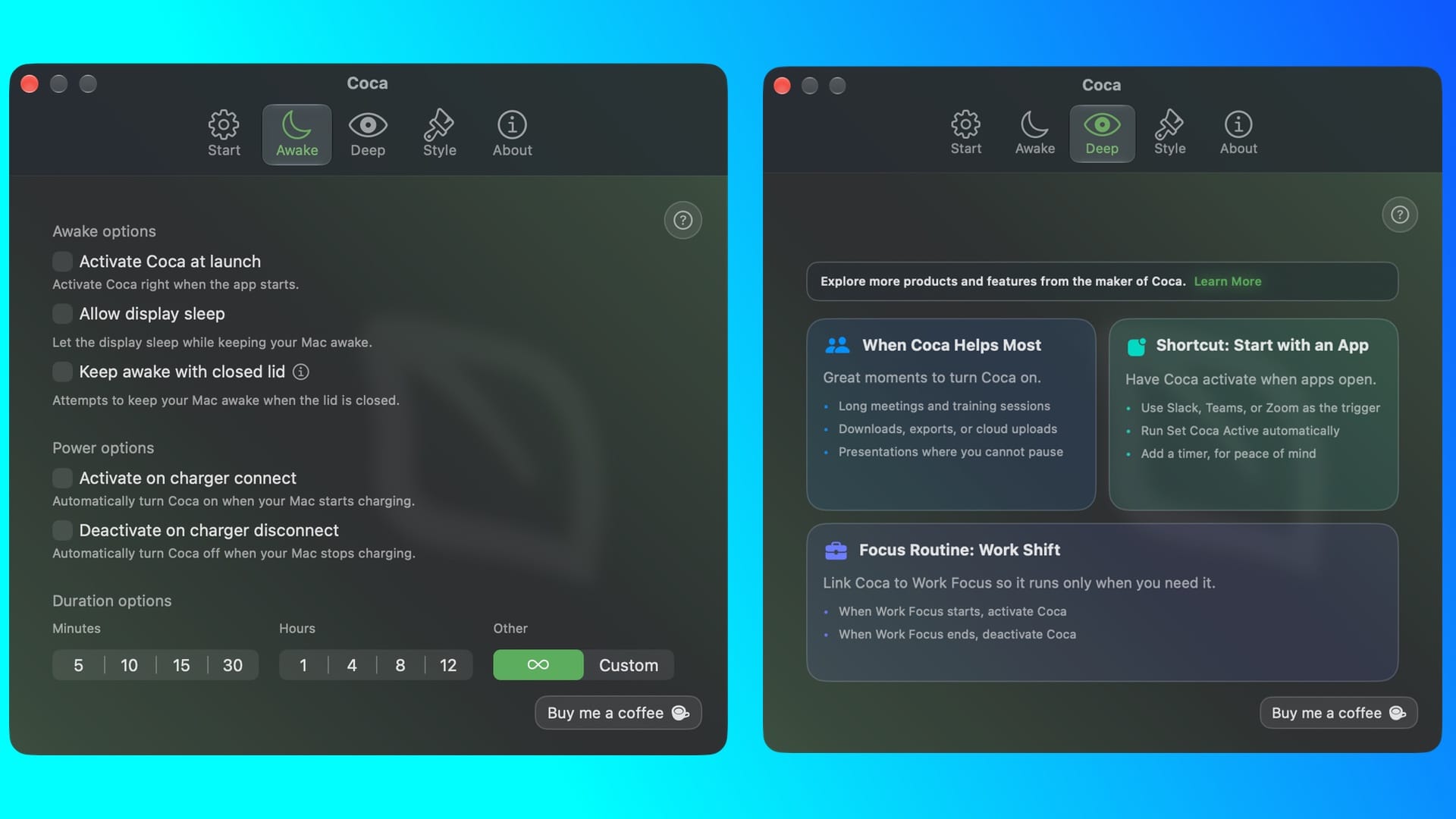
Case in point - another app by Angelo Cammalleri is similar to one I featured in August, but Coca goes a few steps further. Free to download, it's another way of keeping your Mac awake when it's closed. What I particularly like about this app is how customisable you can make it to ensure your Mac stays on but saves power, so it can run through the night.
But in addition, there's also a companion app for iOS and iPadOS, so you can check if your Mac is still awake, or if you need to check the charger if it's decided to turn off. That's incredibly useful and solves an issue I've had a few times before, where I've left my Mac on overnight, and it's either shut down or there's been a Wi-Fi issue.
I'd love to see if there's a way of checking which apps are being used to download something, or perhaps backups in progress, just to ensure they're doing what they're supposed to. Overall, Coca is the perfect app if you're planning on having your Mac burn the midnight oil.
Humblebrag
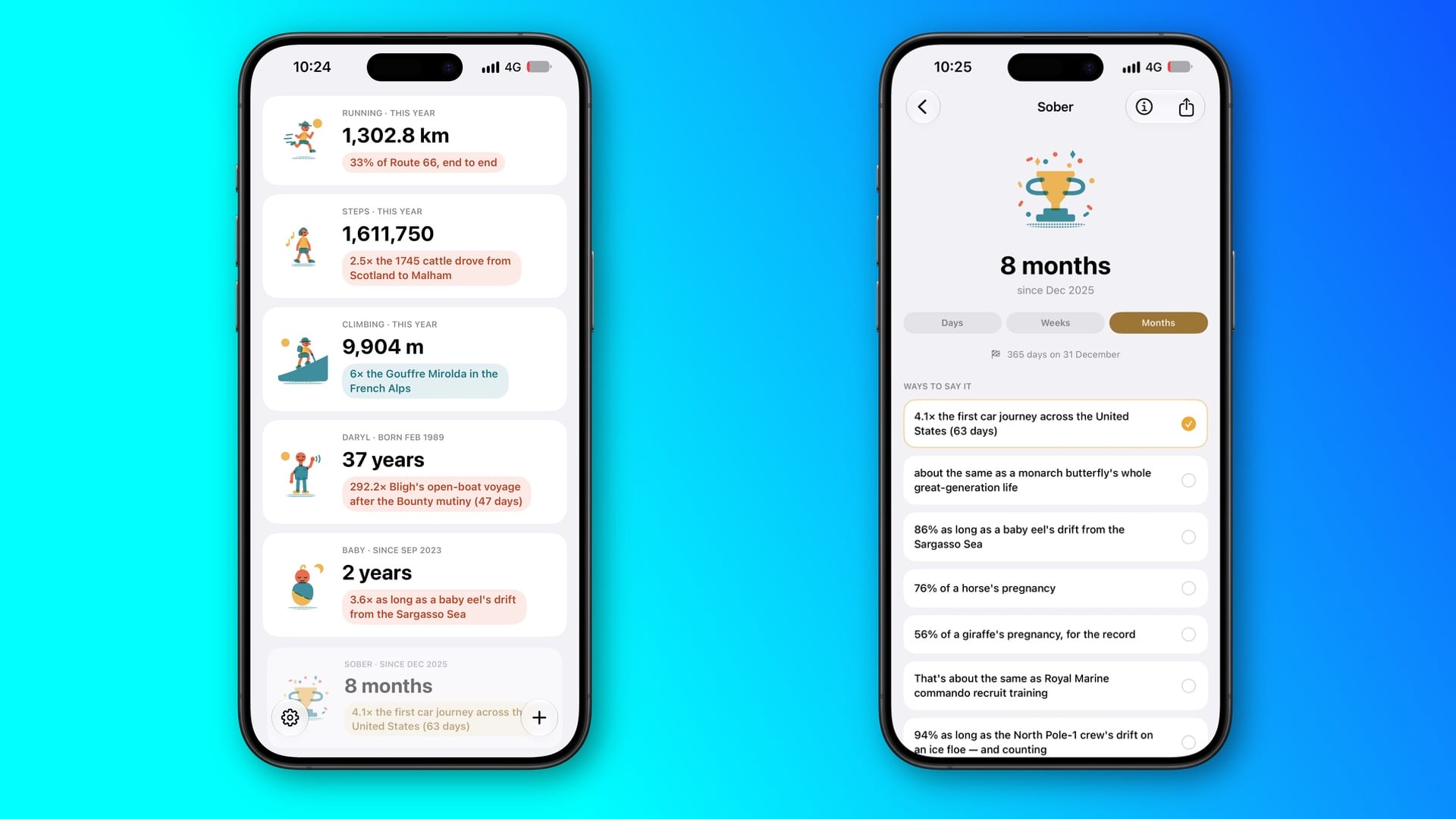
Sometimes, we all need a pick-me-up, no matter how small. You could have been working on a project with seemingly no end in sight, or you've been hitting a wall, wondering if it's really worth it. But Humblebrag, developed by Vuko Vukašinović, is a great way of giving a quick pick-me-up by converting your Apple Health stats into fun comparisons. For example, my running distance this year is 17.8x the length of Lake Geneva. Humblebrag is free to download but offers a $5.99 / £5.99 monthly subscription or $29.99 / £29.99 for the year.
WebsiteArchiver
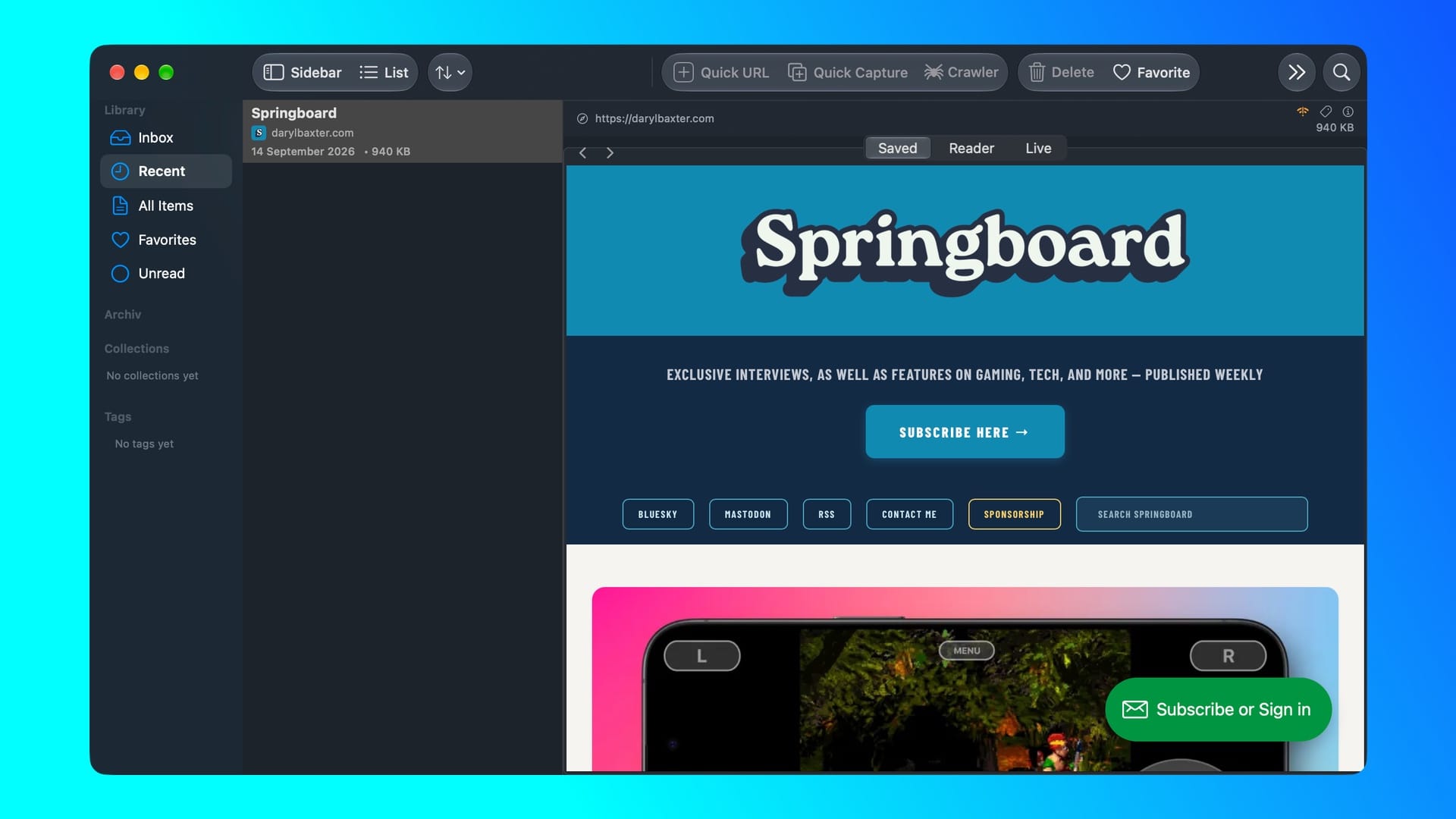
Do you remember some of the old websites, perhaps powered by Geocities, that you used to visit? If only we knew how much the internet would change in 20 years, which is why it's a shame there's almost no record of these sites anywhere. Or if they are, the sites are barely usable. But WebsiteArchiver can help solve that issue in droves. Developed by Kurt Kip, you only need to enter a web address, and the whole site will be ready to read offline.
This is an even better use case if you've written for a website and there's a chance that your published articles there will disappear soon. In my time using WebsiteArchiver, I've found it to be very easy to use, straightforward to set up, and I've already got a couple of sites with my published articles readily stored on my Mac. If you've been looking into a similar solution, I can't recommend WebsiteArchiver enough.
Kip has also kindly sent a promo offer for WebsiteArchiver. For the first 50 users, applying DARYLBAXTER30 at checkout when buying directly from websitearchiver.net knocks off 30 percent from the Mac version.
Omni Group
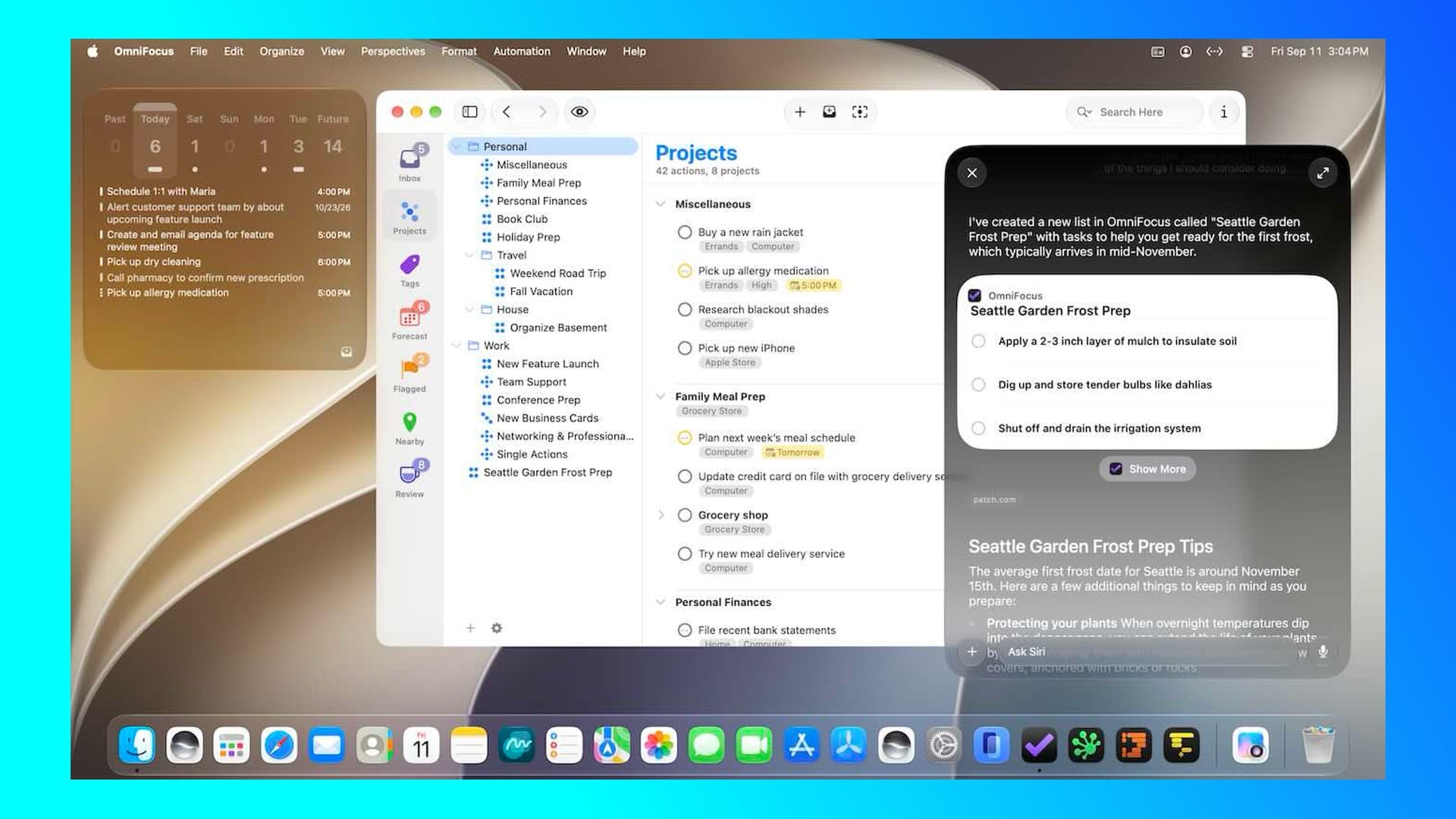
I was going to solely feature OmniFocus here, but after talking to founder Ken Case back in June at CommunityKit, I'm more than aware of how much he and his team work to make the entire Omni suite work for the next major updates. In a blog post, Case explains the major updates for apps like OmniGraffle, OmniOutliner, OmniPlan, and OmniFocus, such as support for Siri AI, refined tweaks for Liquid Glass, and new APIs to OmniFocus and OmniOutliner that can be used to search the Omni Automation API.
I've been using OmniFocus for a project since July, and it's essentially one of the best ways to 'get shit done'. From tagging certain topics to marking others as high or low priority, it's an app that I've found myself enjoying far more than I'd expect from a to-do app. If you're in a similar situation for a big project, try out OmniFocus.
Peak
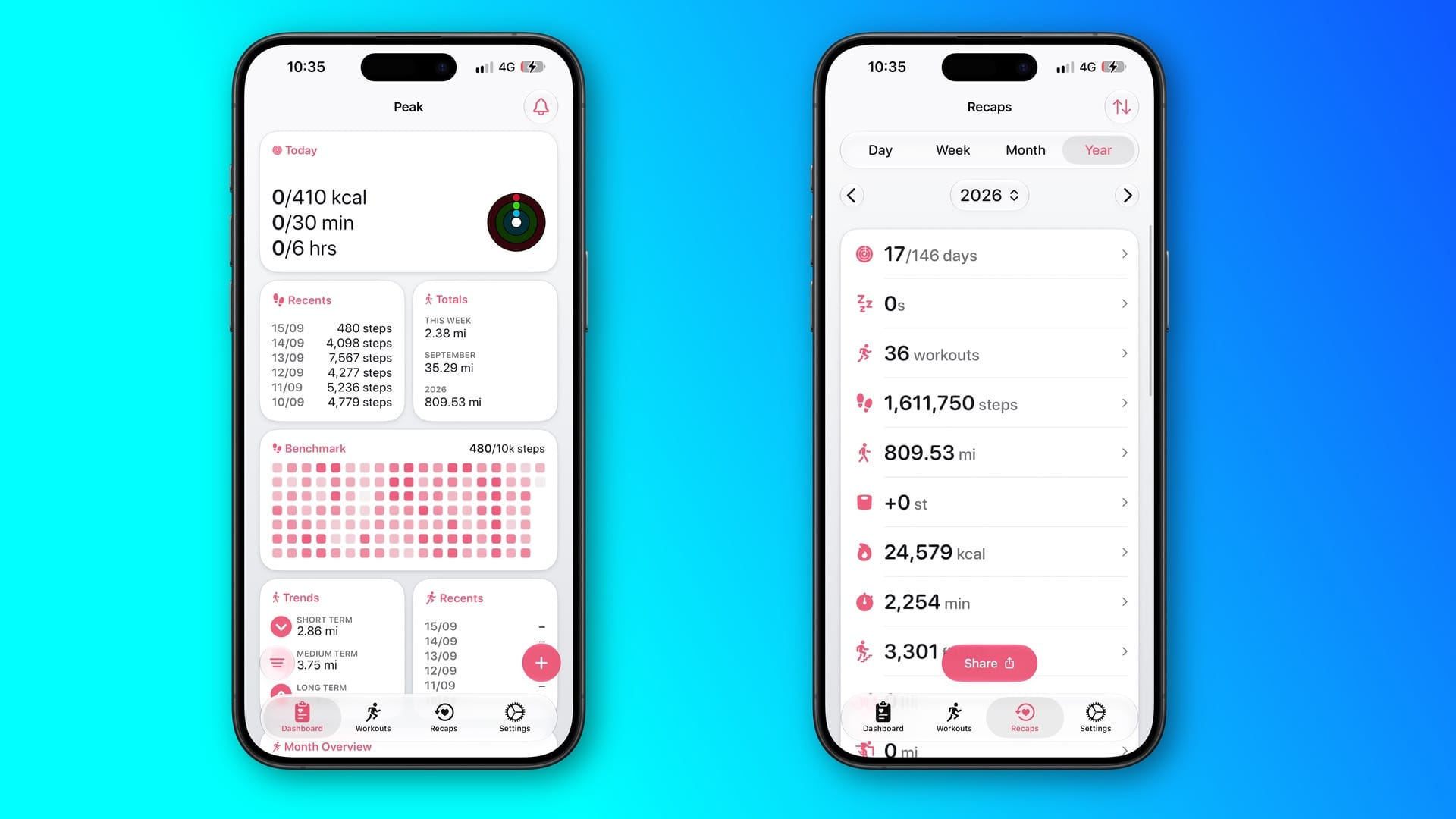
Developed by Harshil Shah, Peak offers something that I'm amazed Apple hasn't, even with its upcoming redesign of the Health app - your own personal Health dashboard. In one glance, you can check your steps so far this year, how your three activity rings are doing for the day, and much more. The themes and widgets do elevate Peak for me - they all look fantastic and can fit almost any iOS device with a certain color scheme.
Unlocking Peak from $2.99 / £2.99 a month gives you full access to customizing widgets, app icons, and more. I love the simplicity of the app, and I'm curious as to how the app will look on an iPhone Duo, but I'd love to see it come to macOS first if possible.
Pacts
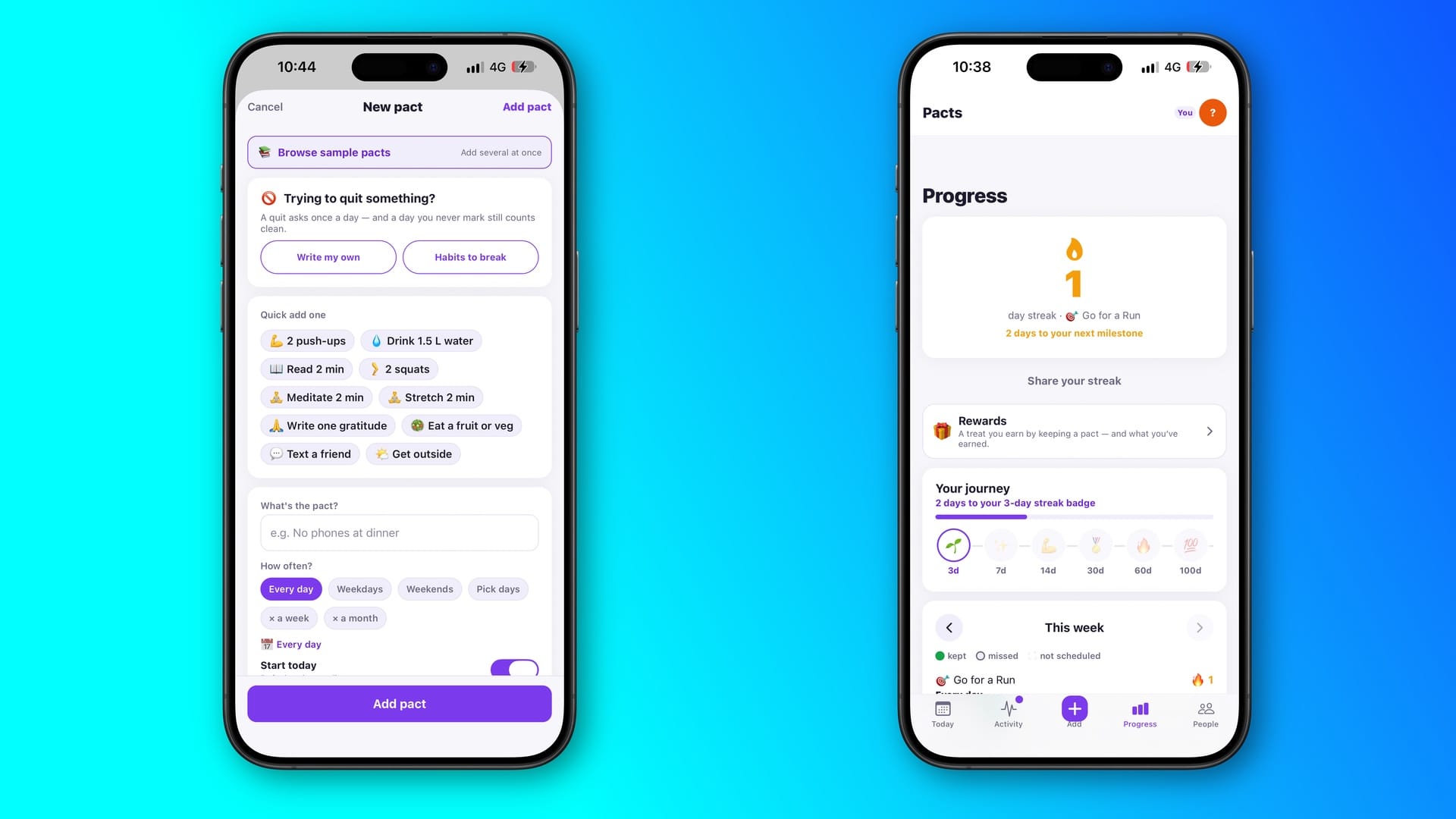
Sometimes promises can be broken, but not on purpose. We're all busy in different ways, and sometimes other things simply take priority. Pacts, developed by Surbhi Sharma, is a great way to keep these promises - whether that's with yourself or others. After creating an account, you can create your first pact, which can be texting a friend, reading for two minutes, eating some fruit, or you can make your own.
I've already found Pacts to be very useful for myself. Due to being very busy lately, I've created some ways to make things like having a run, making breakfast instead of buying a sandwich, and more. It's been great for my mental health, something I feel Sharma should shout about more. Sharing a pact between two people is free, but a circle will cost from $4.99 / £4.99 a month to unlock this and more features.
Disconnect
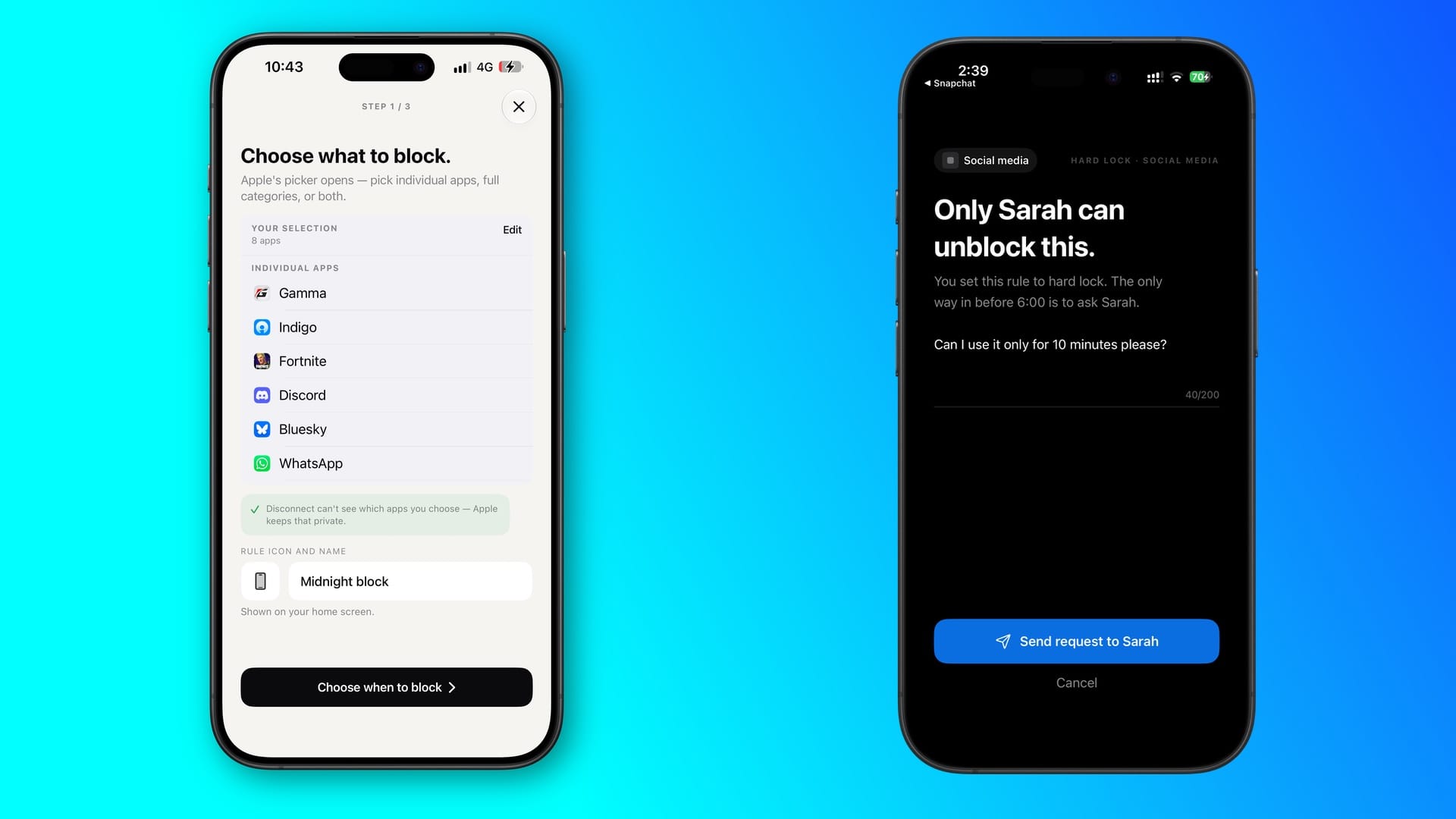
Disconnect, made by Shuaib Khan at Bytehood Ltd, tries to solve a longtime dilemma that you've likely struggled with - setting a limit on certain apps. I've deactivated my Facebook in the past, along with keeping other apps locked behind a ScreenTime setting, but it's not been enough. Disconnect goes further by giving you three ways: Soft (instant unlock with a reminder), Medium (5-minute cooldown), and Hard (buddy approval required). This pairs you with someone else who has the master code to unlock the apps you've decided to block.
I've only used Soft and Medium so far, but the app has already proven to be very useful for those moments when I needed to get certain emails or drafts done without distraction. Disconnect Pro is $12.99 / £12.99 a year, or a one-time fee of £34.99, which unlocks schedules for certain workflows, as well as pairing up with multiple people. Disconnect is certainly worth your time if you need to focus.
Dark Noise
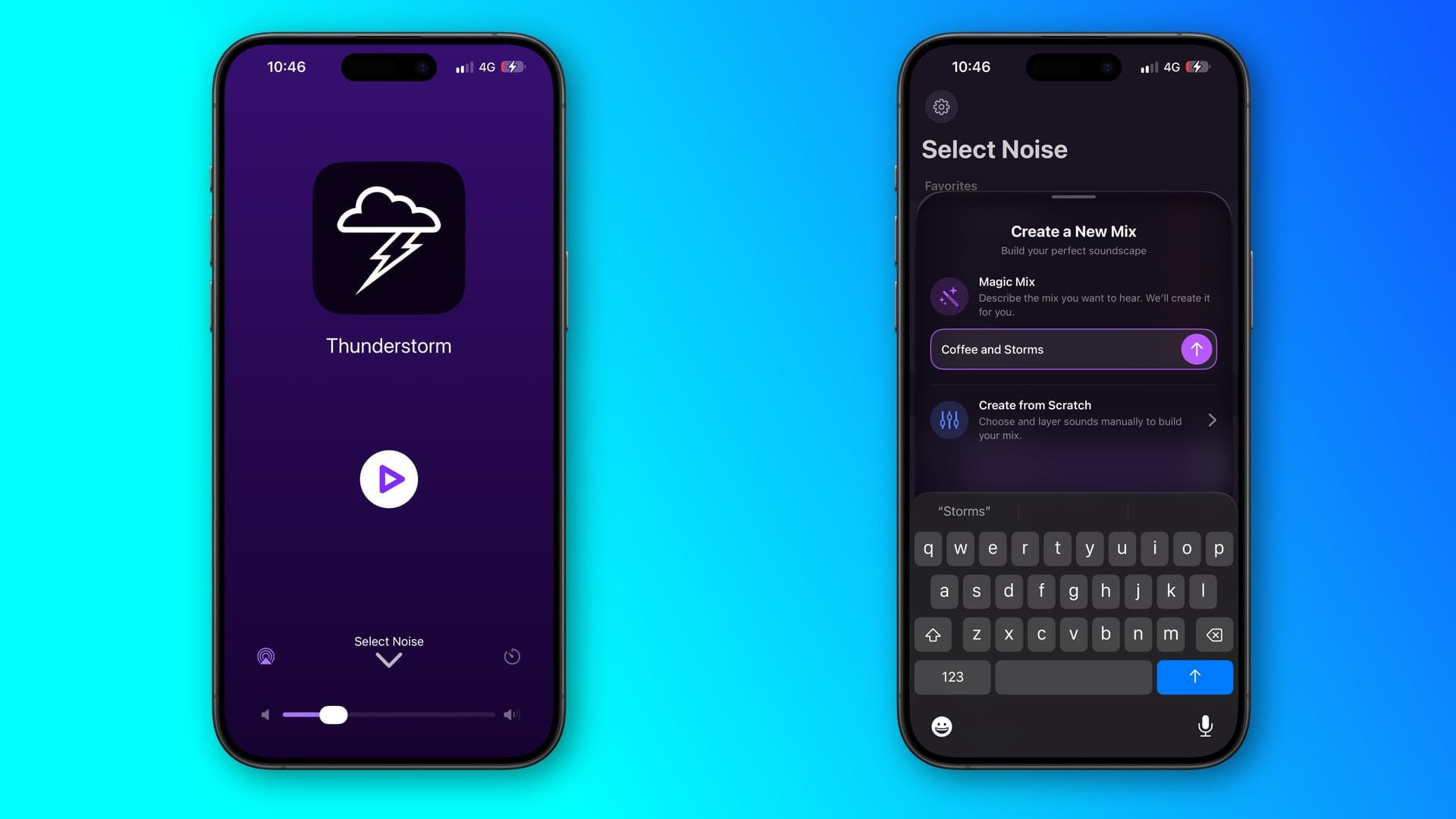
I've used Charlie Chapman's Dark Noise since version 1.0 in 2019, and for good reason. It's a very simple yet elegant way of creating noise that makes you feel like you're behind a waterfall, or you're in a busy coffee shop, all in the comfort of your home. Subsequent versions have introduced cross-fade mixes with different sounds, along with some great widgets that have been on my iPhone's front screen for so long.
But what I also like about Dark Noise is how it's consistently evolved, whilst new devices from Apple, as well as the company offering its own background sounds, have appeared. Yet Dark Noise offers a fantastic way of helping you focus. 3.6 came out on September 14 with full support for the '27' updates, like support for Siri AI, a new Now Playing view, Magic Mix on macOS, and extra-large widgets - which I suspect will look great on the iPhone Duo's outer screen.
Dark Noise is free to download, but the Pro version, which starts at $3.99 / £3.99 a month, gives you full access to over 50 songs, the ability to make your own soundscapes, and family sharing.