App Picks: October 2026
From reading manga on iPhone Duo to a simple macOS writing app


I need to start by saying thank you. I've had the most app submissions for App Picks so far - at least one a day since the previous issue. It's also meant that the list has gone from 5 to 10 this month - with others already set for November.
However, I have noticed some similar emails being sent to me. Lines like 'I read your monthly App Picks, so here's one with a story behind it.' Or, 'If you would rather not receive pitches from me, just reply, and I’ll stop.' Please write these emails yourself - AI isn't needed here. It's reached the point where I can tell an app and an email have been 95% made with Claude Code or OpenAI Codex.
But I do appreciate the transparency I'm getting from other emails lately. Developers of apps like Media Renamer Pro and Still Health have told me upfront that they're made heavily with AI. At this point, I like to think that my opinion on AI is clear. But I know others think differently, so I'd like to discuss this in some way soon.
Anyway, this month is a mix of new apps and others that have been updated for iPhone Duo, along with some I've been waiting to talk about, like MacWhisper. I should also mention that just because your app isn't below, it doesn't mean I've disregarded it. I've likely kept it for another issue, or I'm still trying it out. But by all means, feel free to email me again.
Nihongo
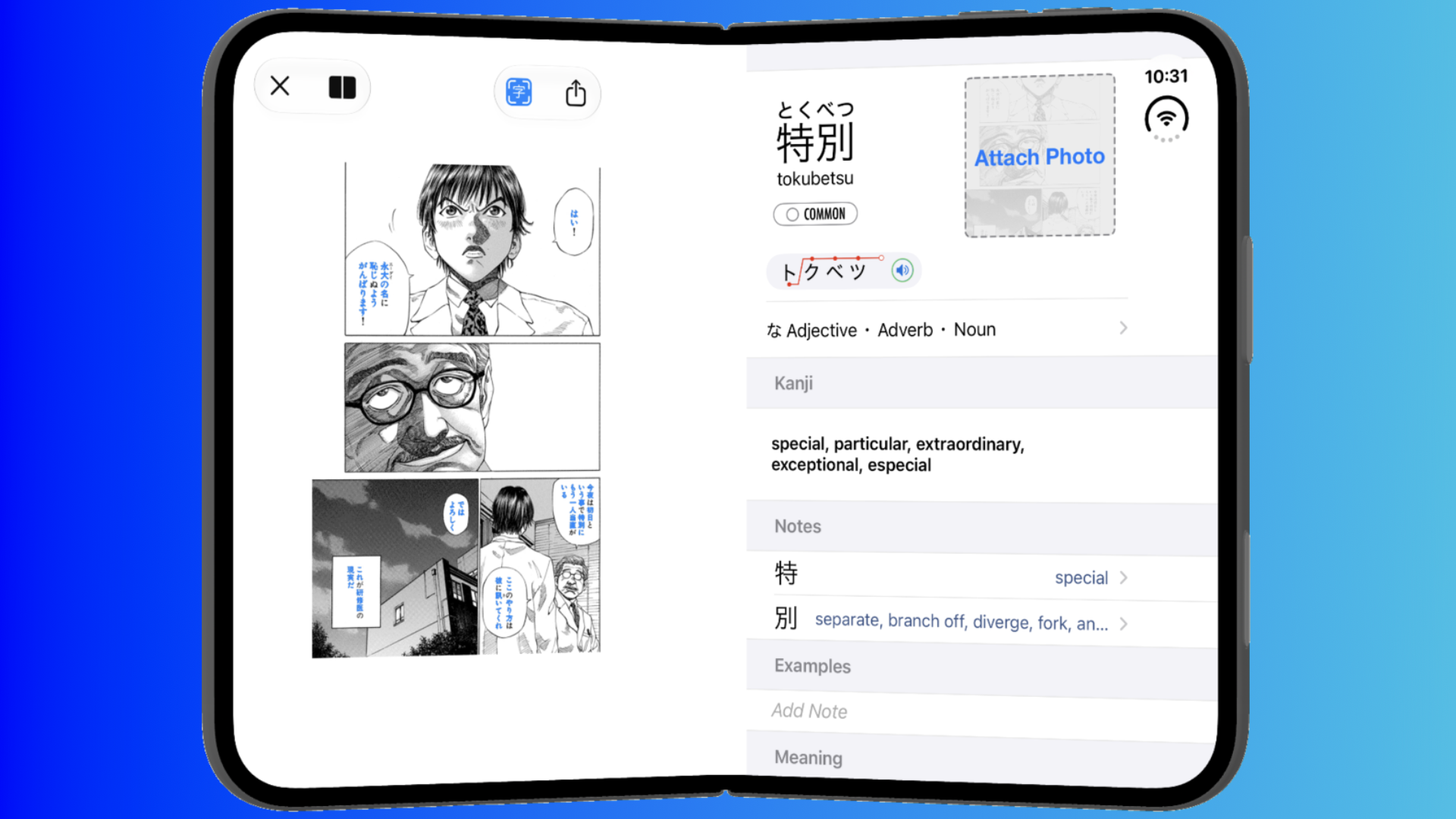
I featured Transcrybe back in July, another app developed by Chris Lindsay. This time, he's back with a brand new update to one of his older apps, now tailor-made for iPhone Duo. Called Nihongo, this was inspired by a visit to a workshop Apple has been hosting globally for the last several weeks:
"With iPhone Duo, I was inspired to create a new reading experience with the text on the left and definitions on the right, optimized for the slightly folded "book pose" of the iPhone Duo," Lindsay explains. "I was able to try this out on a real iPhone Duo at a workshop in Apple's Japan headquarters this week, and it felt great to swipe through my book or manga with my left thumb and browse example sentences using my right. It's definitely going to be my new favorite way to read manga."
Nihongo seems like a perfect use case for the Duo, thanks to how you can swipe the pages of a manga on the left side and read the definitions on the right. The update will launch alongside the iPhone Duo on October 23, and there's a Pro option that includes generated flashcards, photo lookup, and more, for $4.99 / £4.99 a month, $49.99 / £49.99 a year, or $179.99 / £179.99 for a lifetime licence.
Art of Fauna
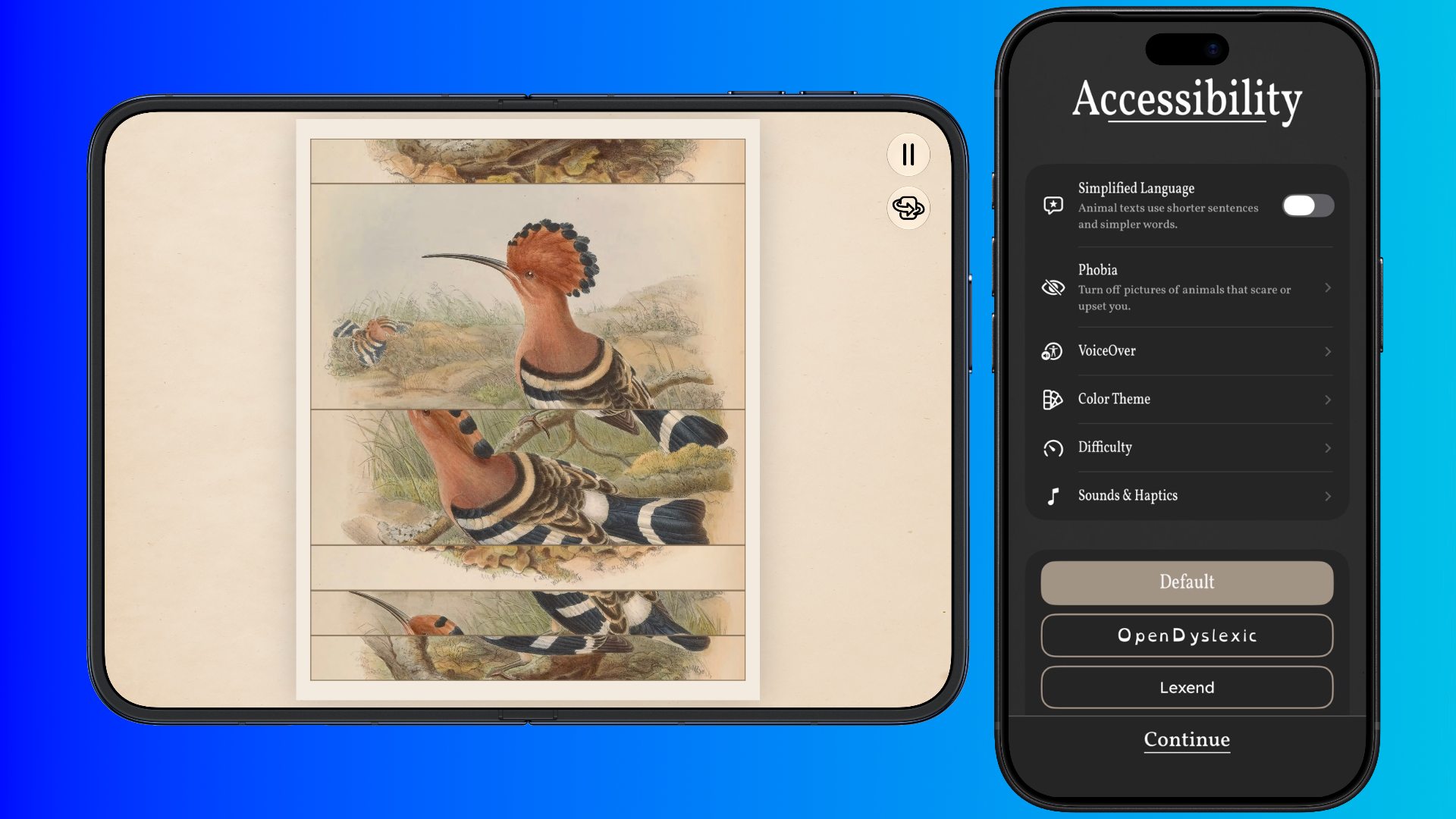
Sometimes, you just want a game on your iPhone to pass the time. Art of Fauna, developed by Klemens Strasser, does this in one of the best ways I've seen. It's a puzzle game where you're given artwork that's been shuffled up, and you simply need to match them correctly to finish the level, complete with a description of the animal as you hear very comforting music throughout.
But what I loved right away was its Accessibility screen, which can hide certain animals that could scare you, adjust the difficulty, switch to simpler animal descriptions, and more. Also, my son has already been enamoured by matching up the animals here, something that's been great to see. Art of Fauna is getting an iPhone Duo update that will show both the art of the animal and its text on either side of the inner display, which looks great already.
It's a fantastic game that features new puzzles every month - you can buy packs of them for $9.99 / £9.99 too, of which 20% is donated to nature conservation organisations. It's a purchase I strongly recommend if you're planning to be on a long commute soon.
Stow
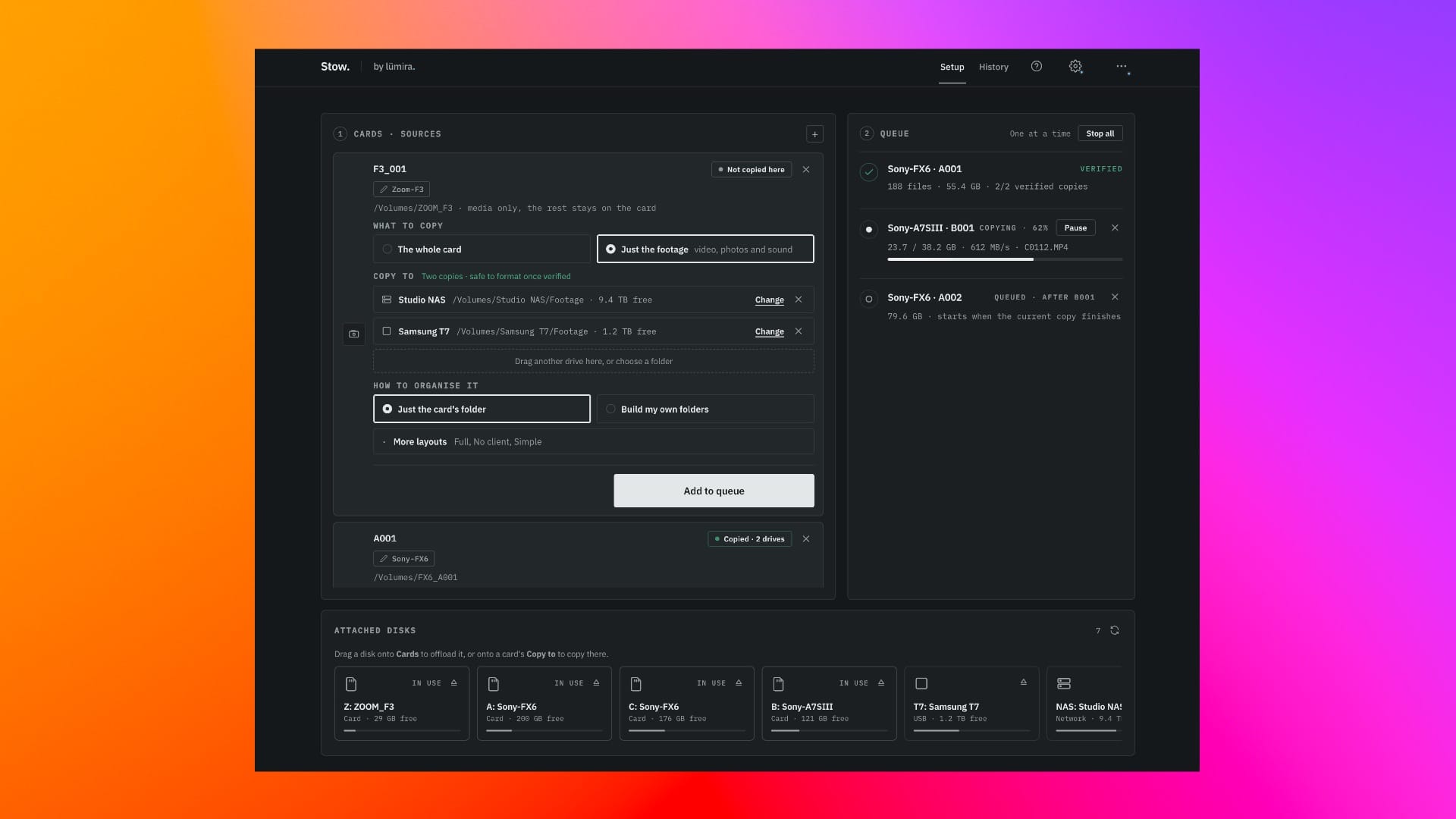
I'm not a videographer, but I know many who are, and I've often heard how offloading videos from SD cards to a Mac via several apps can be a hassle. Luke LV of Lumira Studio took it upon himself to solve this with Stow, a free macOS app that groups the inserted cards and makes sure that the footage isn't corrupted and it's safe to format.
In my testing with Stow, I found it to be quick to use, perfect for those moments when you need to search and swap out those cards. What I also like about Stow, apart from being a straightforward app that solves a headache, is that it's free. In this category, there are plenty that cost a lot as a one-time purchase or as a subscription - Apple is a great example here with Final Cut Pro. But Luke's decided to make Stow free for all, and in 2026, that's refreshing.
OpenTV
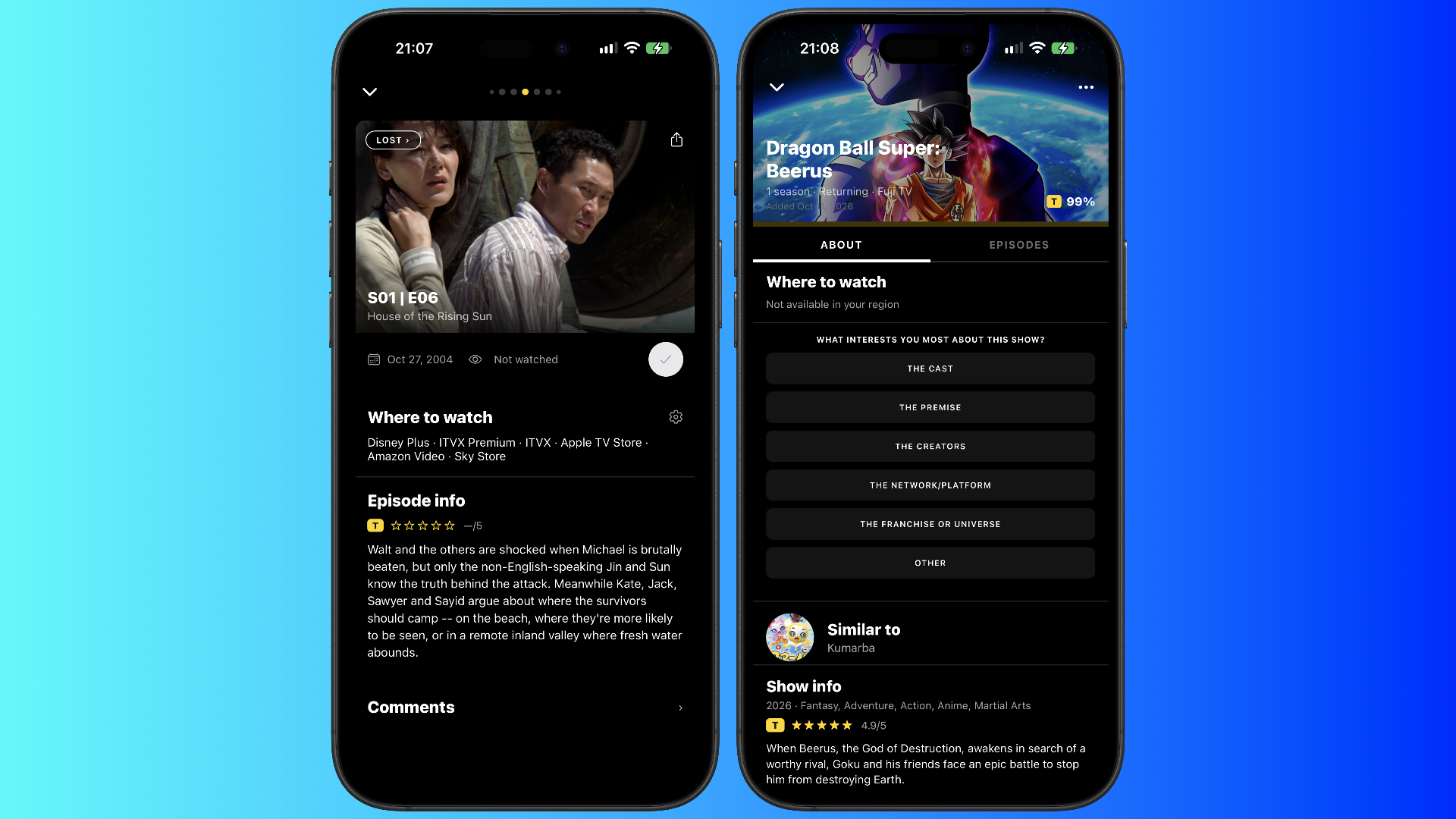
I decided to use Letterboxd earlier this year, but it tailed off because it sucks the fun out of writing about the movie you've recently watched. It looks stale, every button and object feels rigid, and it made me use it less and less. But OpenTV, a freemium app developed by Noddy, tries to offer a new way to keep track of what you watch compared to Letterboxd and the recently defunct TV Time.
What I like, apart from having no ads and being open source, is how every show or movie gives a description, tells you where to watch it, and also lets you quickly swipe between episodes for TV shows. You can also import your data from other apps into OpenTV, such as Letterboxd, Plex, the defunct TV Time, and more, so you can have a central place for everything you've watched, or are planning to.
I've found OpenTV to be a joy to use. It focuses on the content you've loved or are about to watch without having ads or pointless features getting in the way. The grid view for TV shows is great, too, letting you easily find the best or worst episode in a coloured checkerboard. I'd be curious to see an iPhone Duo version someday, but for now, OpenTV will be used for my LOST rewatch.
OpenTV Plus offers themes, unlimited lists, cloud backup, and sync between devices. Noddy has kindly offered a code for readers - using SPRINGBOARD gives 50% off OpenTV Plus for the first three months on the monthly plan, and SPRINGBOARDYEAR gives 50% off the first year on the annual plan.
Estia
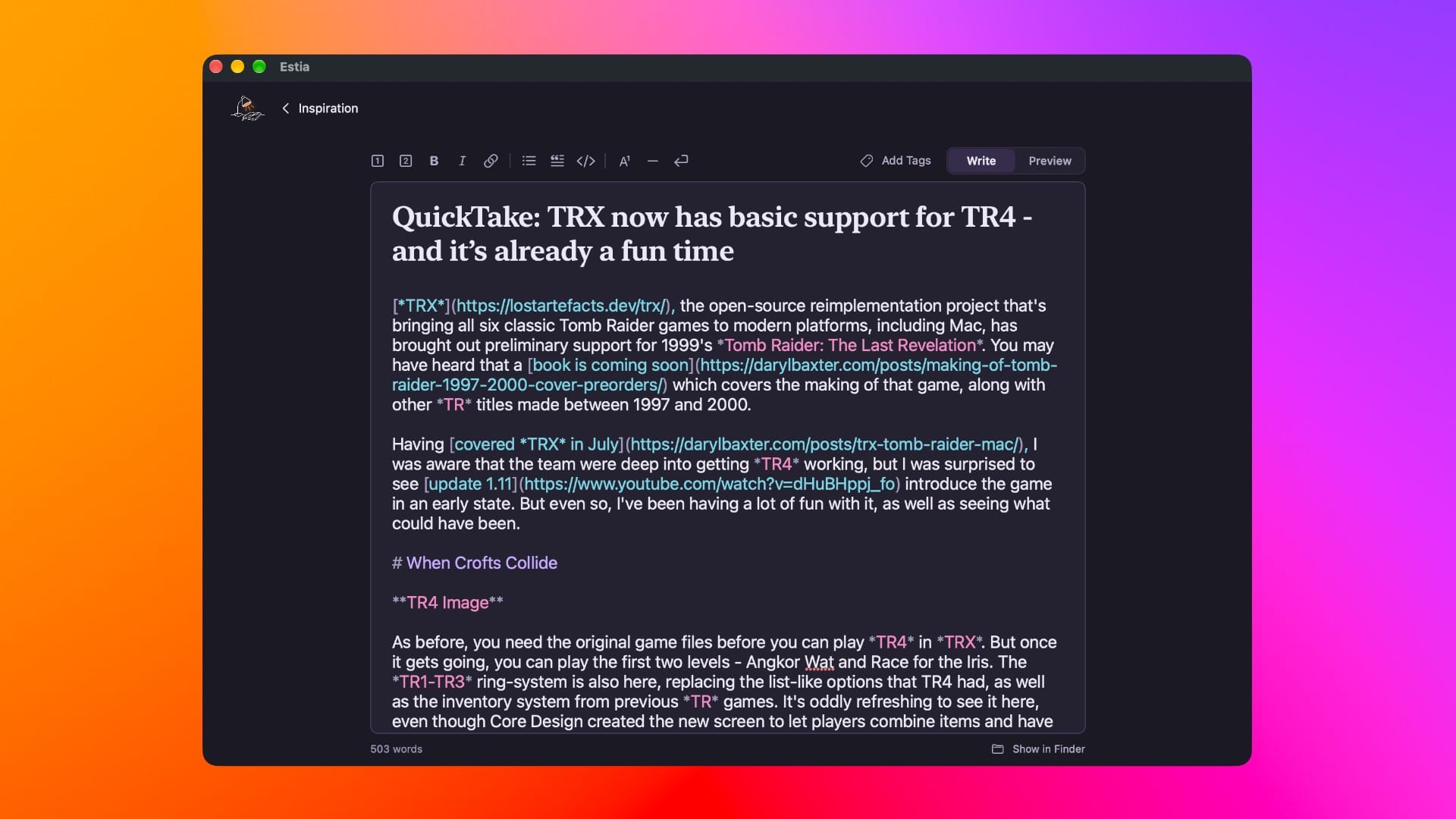
I've never been one for writing apps on macOS. I've always preferred writing in Google Docs or another site via the web browser. But Estia, developed by Andy Nicolaides, scratches an itch I didn't know I had. It's a simple, free Markdown app that gets you straight to writing.
You can use basic formatting features, as well as useful keyboard shortcuts, and switch between preview and edit modes whenever you want. After I gave Nicolaides some feedback, version 1.4 lets you add a divider and highlight multiple words at once so you can quickly bold, italicise, and more. Estia has already become the app I'll use for QuickTake posts, and I hope Nicolaides considers an iPhone Duo version for it someday.
MacWhisper
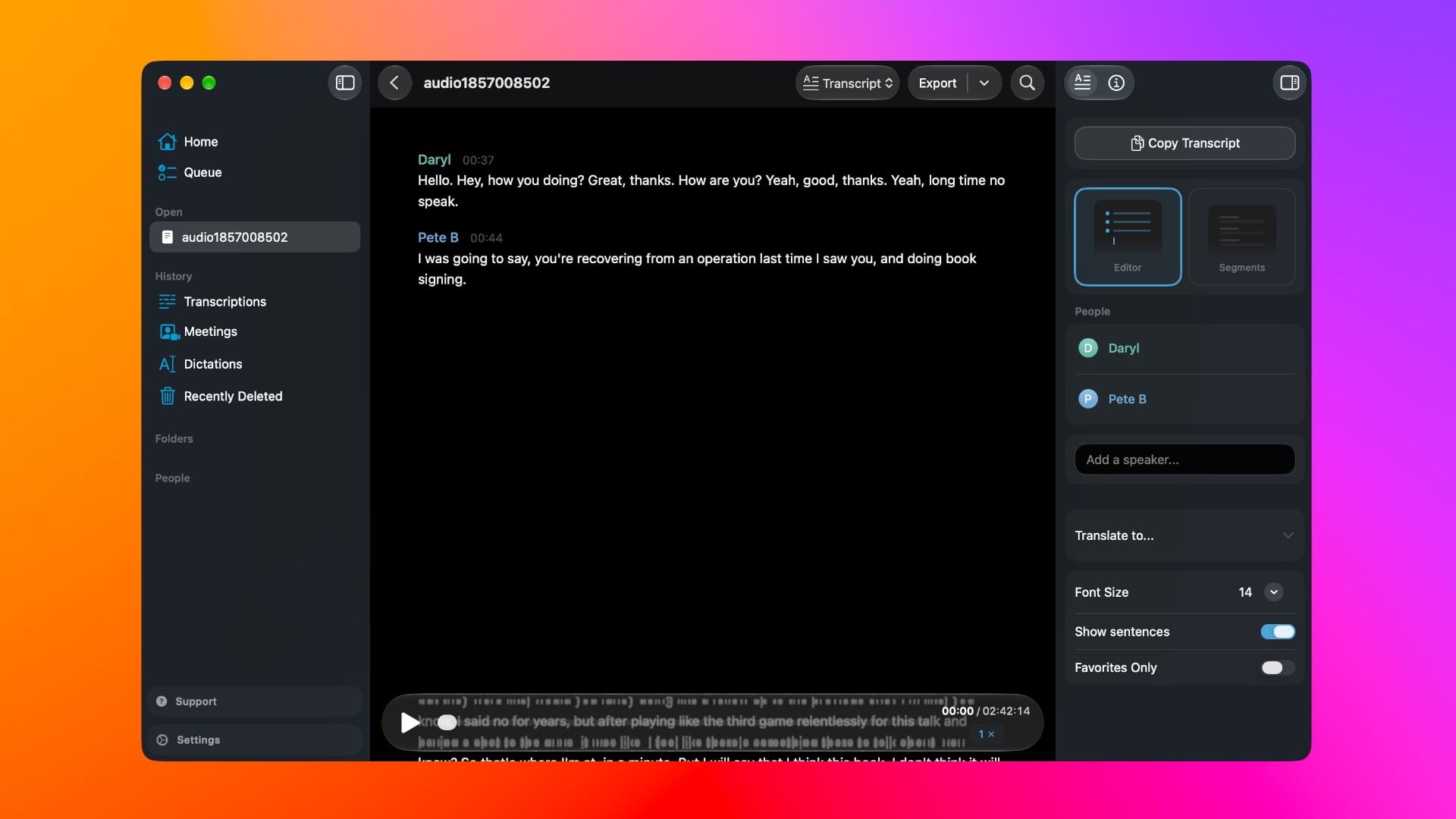
MacWhisper, developed by Jordi Bruin, was essential in the early days of creating The Making of Tomb Raider: 1997-2000. I spent hours talking to many involved in the creation of the early Tomb Raider games, and I'd tried another transcription service before. MacWhisper made the whole process easier by letting me sort the transcribed interviews into text that I would then use to edit myself. But that wasn't all.
There would be a time when I'd have four different chats saved as audio files, lasting for 90 minutes at least. I'd use MacWhisper to transcribe all of them while I slept, then spend the next day editing them all for clarity and seeing if I needed to follow up on a few of the answers.
I'm not keen on its AI features, but the transcription engines turned out to be fantastic time-savers and got me to improve certain topics for the book, such as the later stages of Tomb Raider: The Last Revelation. MacWhisper is free to download, but there's a Pro licence for $72 / £55 which offers features like translation, automatic speaker recognition, and lots more.
WagWatch
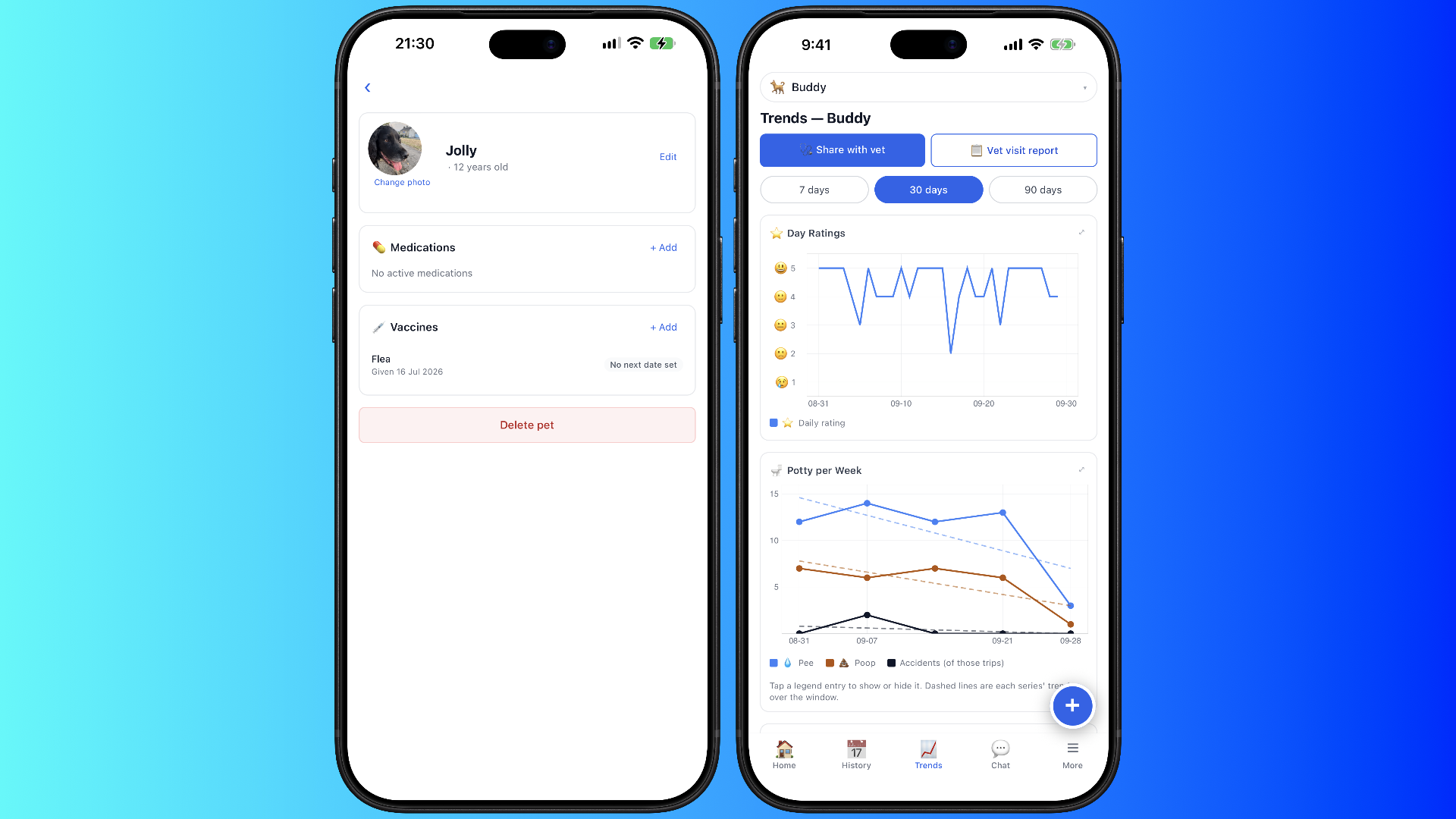
Although I've always liked using Apple's Health app, WagWatch, developed by Joe Chapman, made me realise that Health lacks a pet section. My dog, Jolly, is 12 years old, and whilst he still acts like he's 3, there have been a few more vet visits this year due to his advancing age. But anything I've had to log has been via the Notes app or Things 3.
However, WagWatch covers this immediately by having a central place for Jolly. You can add vaccines, medications, vet visits, and much more, so you can share your pet's history with your vet if needed. Chapman also has a lovely story about how WagWatch came to be. The app's design isn't much to shout about, but it doesn't need to be. It's practical, although it'd be good to see a new logo for WagWatch. As it stands, it looks very AI-generated, and the blue overwhelms everything.
Otherwise, WagWatch does the job, and does it well. Premium costs $3.99 / £3.99 a month or $24.99 / £24.99 a year, with a 14-day free trial, and one subscription covers the whole household. It adds full history, more pets, photos, vet share links, and a vet visit report covering the last 90 days.
OnlyOffice
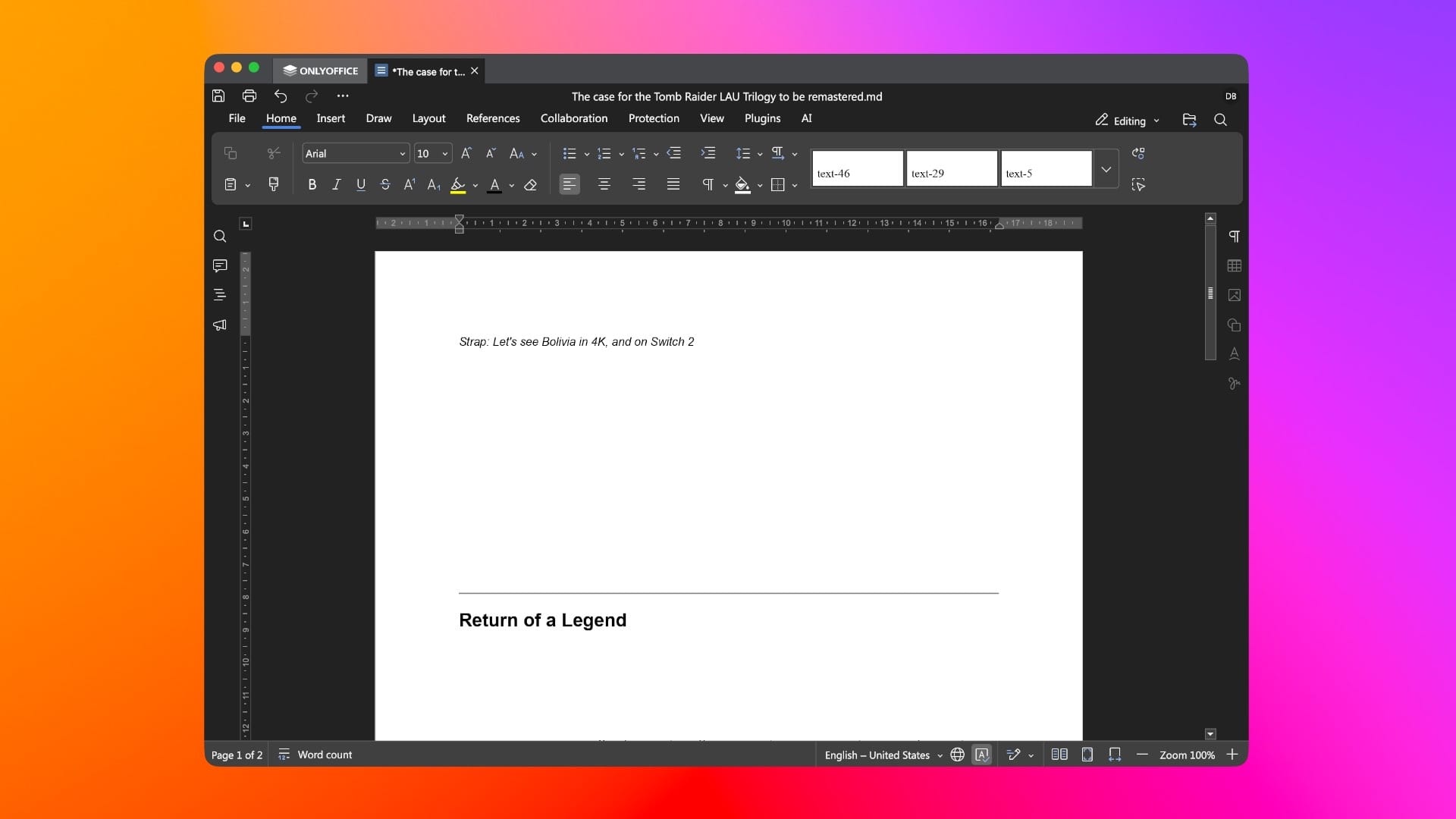
It's a shame how far Apple's iWork suite has fallen in recent years: from its reliance on AI to having other features gatekept behind a Creator Studio subscription. However, it also means that other apps can try to take the place of Pages and others, which is where OnlyOffice comes in.
Even though I use Google Docs, Ghost, and now Estia for my work, there are moments when I need to look at documents saved in Microsoft Office file types. For years, I'd just use Keynote or Pages via iWork. But as the years passed, I'd find the apps becoming bloated, slower, and now I get a pop-up every time I open them, recommending I download fresh versions with an AI focus. No, thank you.
So OnlyOffice solves this right away. I only had to download the suite from its website, and moments later, I was opening documents in a layout that reminded me of old-school Microsoft Office, before the Ribbon interface went out of control. There's not much to say here, other than it's free, it's fast to use, and while there are AI features, they're switched off by default, which is welcome.
SumClip
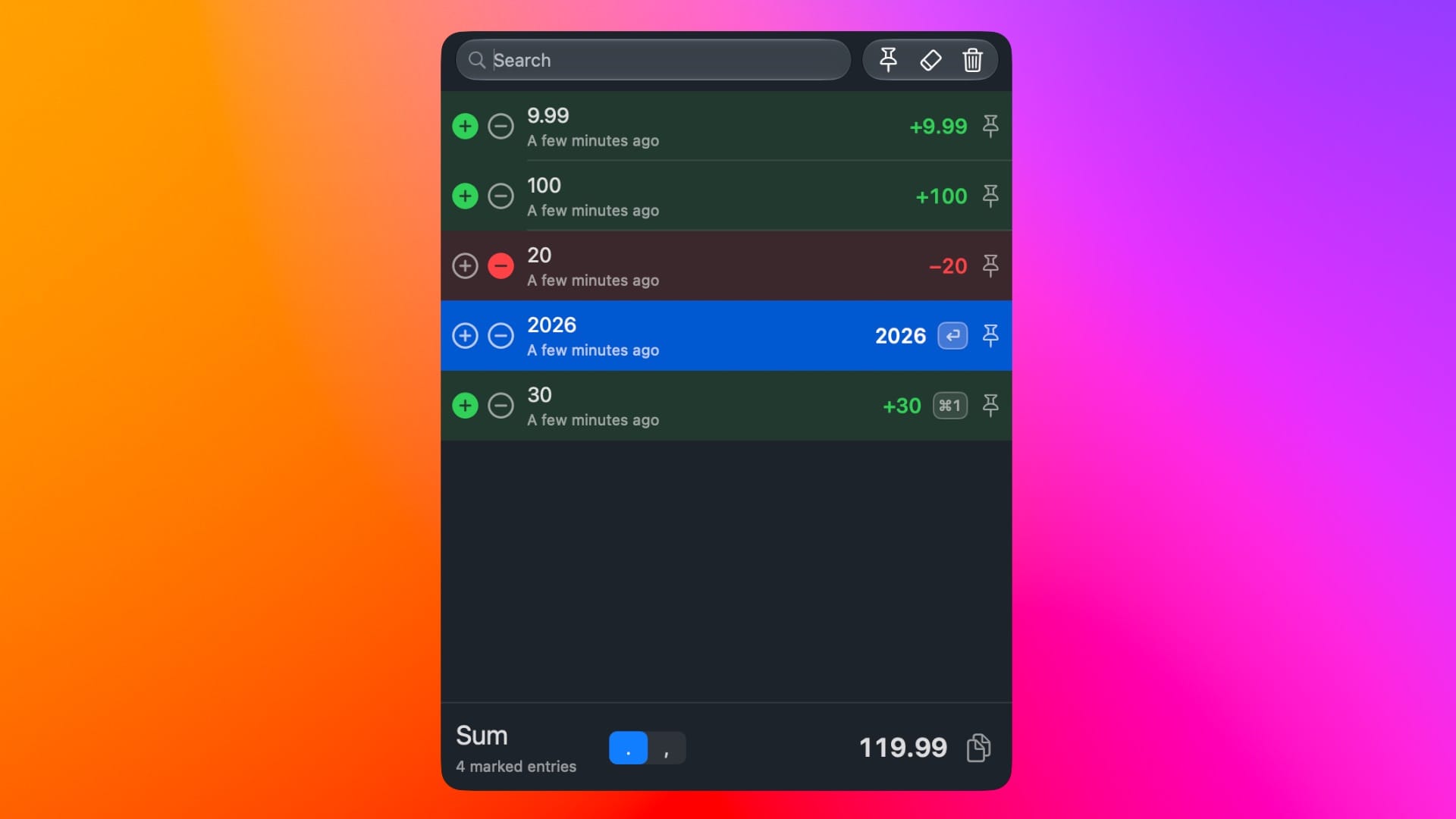
Clipboard managers have admittedly been new to me this year. Whenever I need to duplicate something, I just copy and paste. I've known the process for as long as I've been using a computer. But when developer Daniel Håkansson Lilja let me know about his new app, SumClip, I was intrigued. Originally made to help him move numbers from Power BI to Excel so he could add several values up, it morphed into a clipboard manager that can be hidden or displayed via a toggle in the menu bar.
SumClip costs $7.99 / £7.99 after a 30-day free trial, and I've found it to be very useful when copying several screenshots and games to different folders when reviewing a Retroid handheld. I had to laugh when I saw the Liquid Glass toggle in the settings - you can go from 'Subtle Glass' to 'I'm Alan Dye' to your preference! You can even disable the sum feature and have SumClip as a clipboard manager. Overall, it scratches an itch for Lilja but also gives me and others an easier way to copy and paste multiple images and text in one go.
reTrek
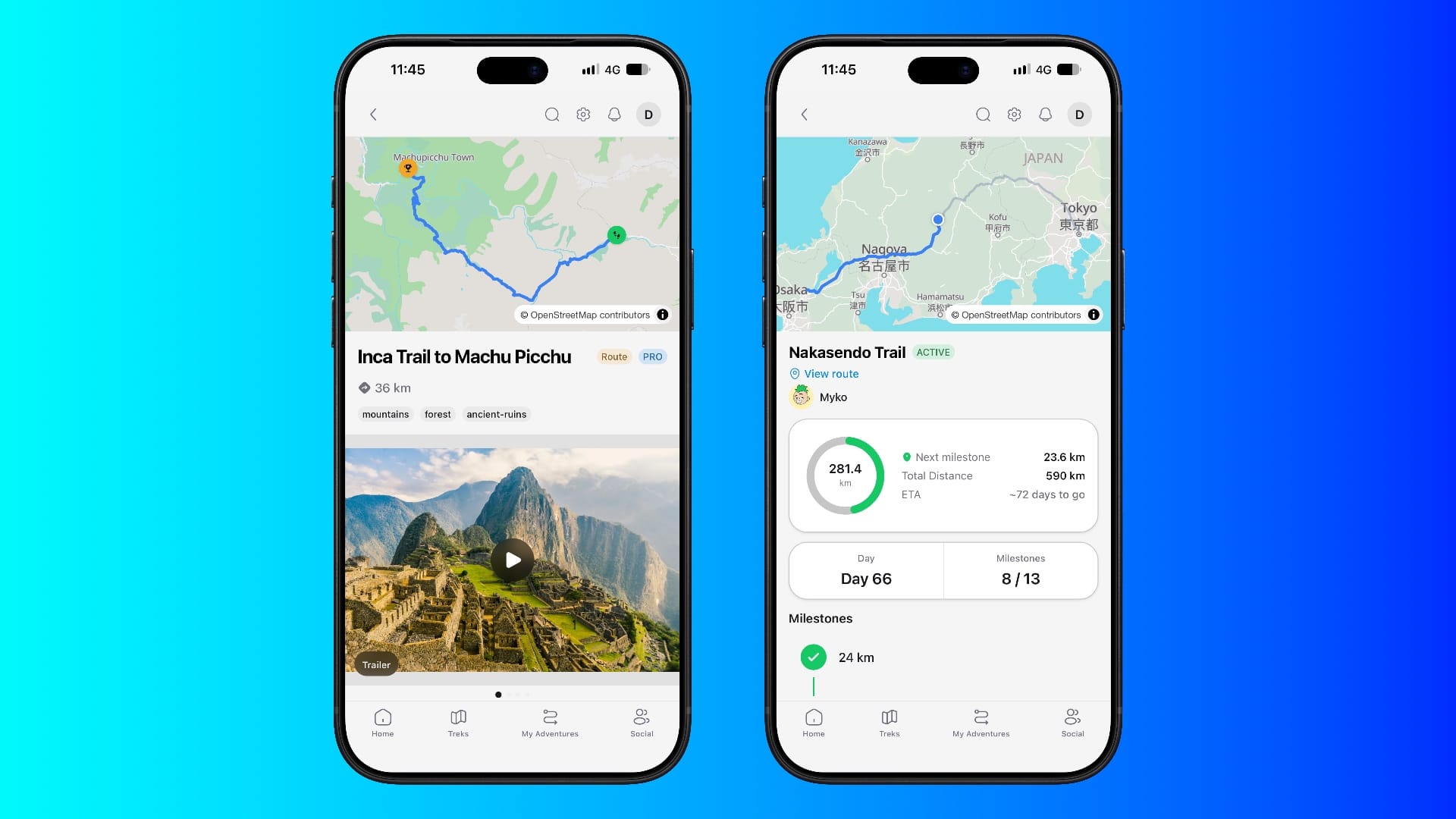
I love to walk, and as I've lived near the Peak District since early 2025, it's been great to have plenty of long walks with Jolly across forests, rivers, and more. But I've been planning a few 2027 trips where these walks can be treks abroad, and when developer Myko Nordy sent me a heads-up about his new app, reTrek, it was great timing.
It makes a game of walking - so you can pick a famous trek as a quest, from the Machu Picchu trail to Mount Everest, and your real-world walks count towards it. As you progress, reTrek will give you short movies and a card for when you finish that you can share with others. I've found these quests to be very fun already, and considering Nordy has been working on the app since 2024, it shows. reTrek is well designed and lets you easily pick treks and see how others are doing with their quests.
Both the Everest Base Camp and The Sealed Letter quests are free, but you can unlock everything for $9.99 / £9.99 a month or $69.99 / £69.99 a year - something I recommend if you're planning on spending much of November or another month walking long distances.
I'm already laying out November's App Picks, but I'm always looking for new or updated apps. I'm expecting far more iPhone Duo apps to feature next month, so do get in touch.