App Picks - June 2026
From Dreamcast finally arriving on Apple devices, to checking a vehicle's MOT.


My visit to Cupertino from June 7 to June 10 came and went in a flash, and it was an incredible trip. At CommunityKit, I met countless developers who were either new to the community or were on their fifth or sixth app. But it was the Indie App Fair on June 10 that let me meet many developers face-to-face to discuss their apps.
Which is why this month's App Picks has been more difficult than usual to curate. I've been trying out a bunch of apps, all by actual developers, not solely by AI agents, and it feels that, combined with Apple's announced refinements at WWDC 2026 coming to iOS 27 and the rest of its software lineup, developers feel recharged in a way.
If you'd like to get in touch about an app you're working on that's in TestFlight, or a major update to an existing one is about to launch, do get in touch.

Car Advisor
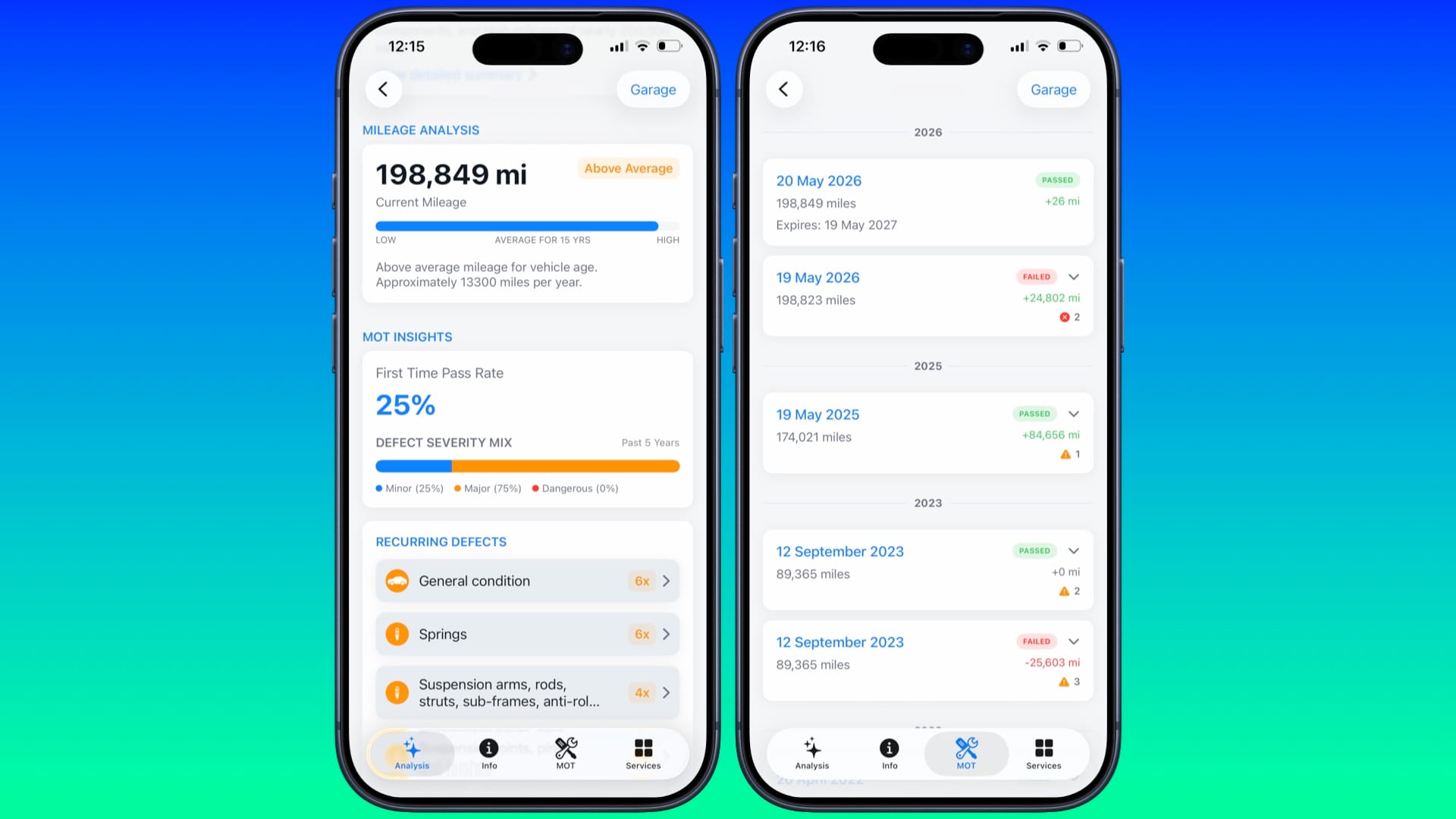
Back in March, when I was selling my campervan and looking for a car that better suited my son, I'd check the MOT history and mileage on some vehicles I was going to visit that I'd potentially be buying. Frankly, using the official MOT History site is a terrible experience. It's slow at loading, has a terrible layout, and if you want to check another vehicle, you have to press 'back' on the web browser several times to type in the licence plate.
So when I saw the free app Car Advisor, developed by Simon Malih, being shown off at the Indie App Fair, I instantly thought, 'Why hasn't someone made this app before?' Not only is it well-designed, letting users quickly check MOTs and even browse previous vehicles they've looked at, but it also uses AI in a rarely useful way in one section. When you press on Vehicle Summary, you get a detailed overview of the vehicle's condition, MOT History patterns, mileage, and advice on whether you should buy it, all in an easy-to-understand explanation.
It's very impressive. All I'd advise is seeing if there's a way of using the camera to take a snap of a licence plate, instead of requiring the user to type it in. Otherwise, this is one of the most useful apps I've seen this year - if you're about to shop around for a vehicle, make sure you've got Car Advisor ready to go.
What's My Set
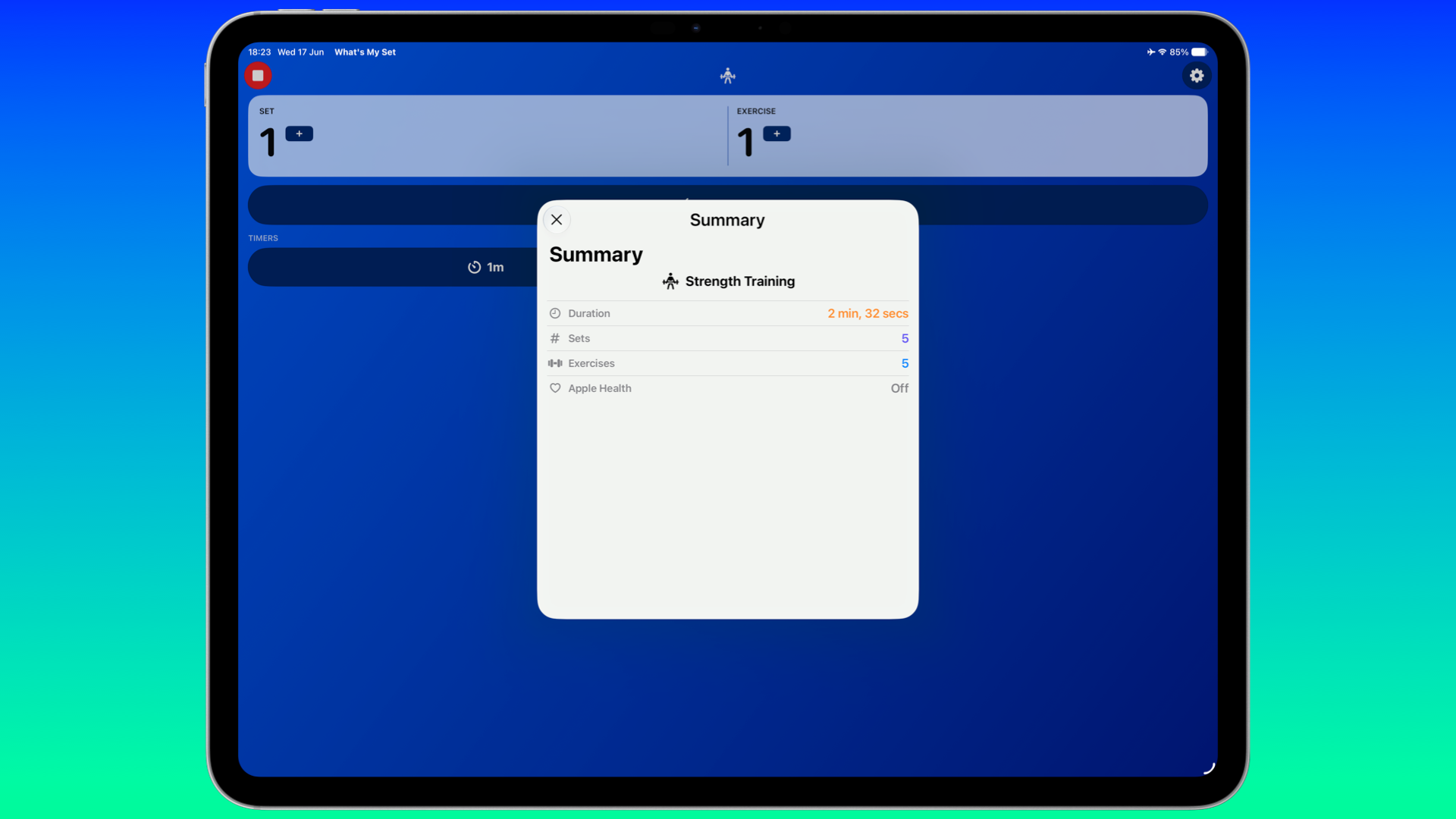
I do a bunch of strength workouts every week, and sometimes it can be a challenge to keep track of the reps and sets I do. Granted, I can do it on Apple Watch via the Fitness app, but it gives you the impression of wanting to compete with yourself, when I only want to keep track of what I'm doing. This is where What's My Set comes in, developed by Chris Wu, one of the organisers of CommunityKit.
Available on iPhone, iPad, and Apple Watch for free on June 29, with a Pro subscription for $0.99 / £0.99 a month or $9.99 / £7.99 a year, What's My Set does what it's called - keeps track of the sets you're doing. At home, I've been using the app on my iPad with the four strength workouts I do, keeping track of the sets so I stick to the consistency every time. I really like the user interface, keeping it simple with easy-to-see buttons to press when you're deep in the reps. To note: just before this went live, Wu got in touch to say he used Claude Code to help him develop this. He wrote a post in February about his use of it. Sometimes the best apps keep it simple whilst solving an issue - What's My Set is a fantastic example of that.
iFly
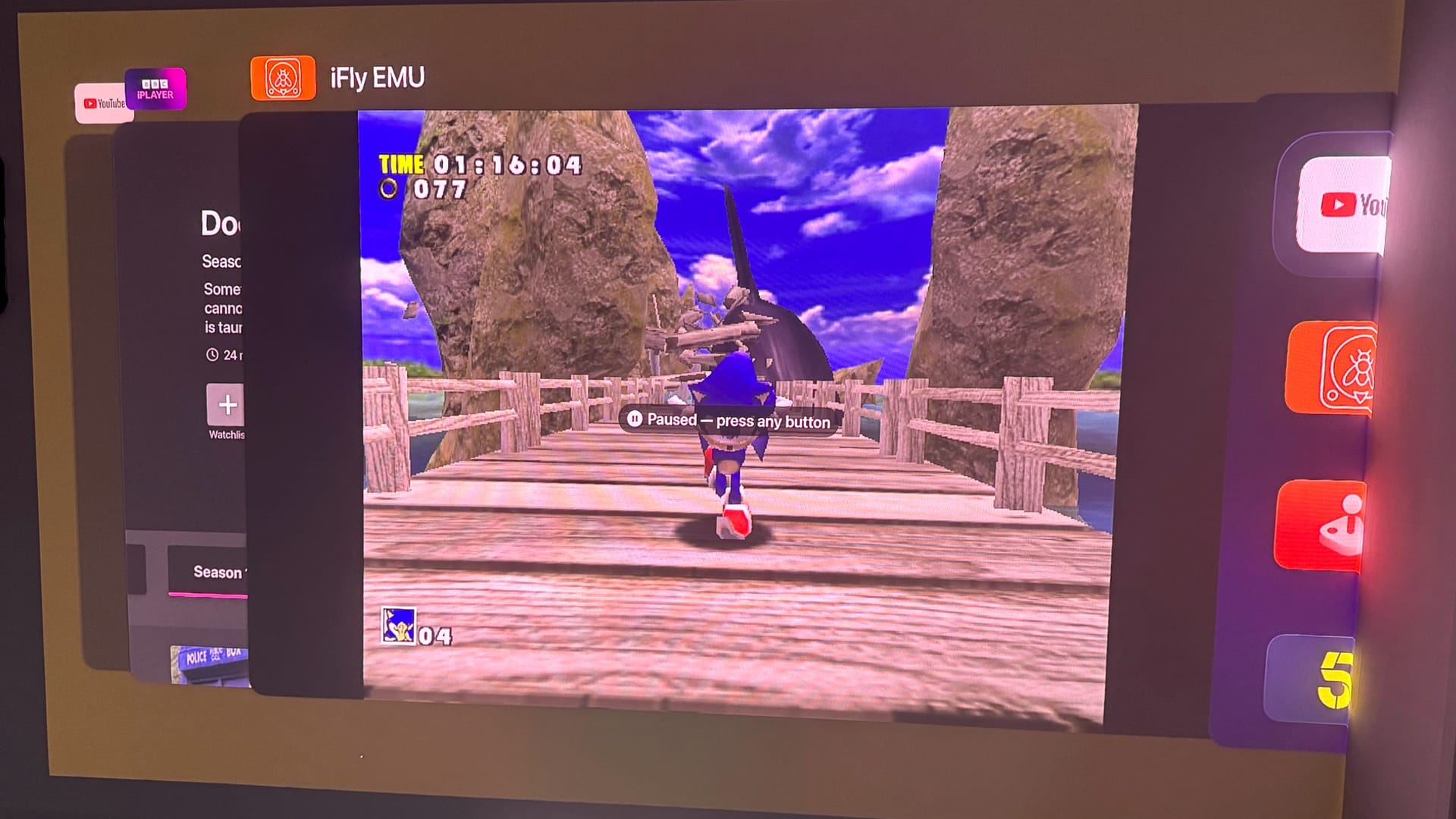
I'm planning on covering an in-depth feature on Apple TV soon, but iFly is a Dreamcast emulator that finally fulfills a wish I've had since Apple allowed emulators on the App Store in 2024. Currently available on the AltStore/SideStore, or on TestFlight, the emulator can run Dreamcast games on your iPhone, iPad, and Apple TV. Built off the Flycast emulator, this means that game compatibility is high - what counts is how iFly renders the games on Apple's devices.
The result is, rather well. I tested Sonic Adventure, and it ran at full speed on my Apple TV 4K set at a 1080p resolution. Dead or Alive 2 struggled, but it was still playable. For curiosity's sake, I played both games on my iPhone 15 Pro Max, and they ran even better, thanks to the more powerful chip. So far, I'm impressed, and there are even cheats ready to use, along with save states, widescreen support, and more.
To me, this proves that Dreamcast support is indeed possible on older devices without JIT (Just in Time recompiler). Being able to play games that still aren't available on modern consoles via this method on my iPhone and Apple TV is fantastic. It depends on how well optimised iFly can be in the future, and whether there's a cut-off point for compatible devices. But right now, I'm very happy being able to play Sonic Adventure on my iPhone and Apple TV.
Korinotch
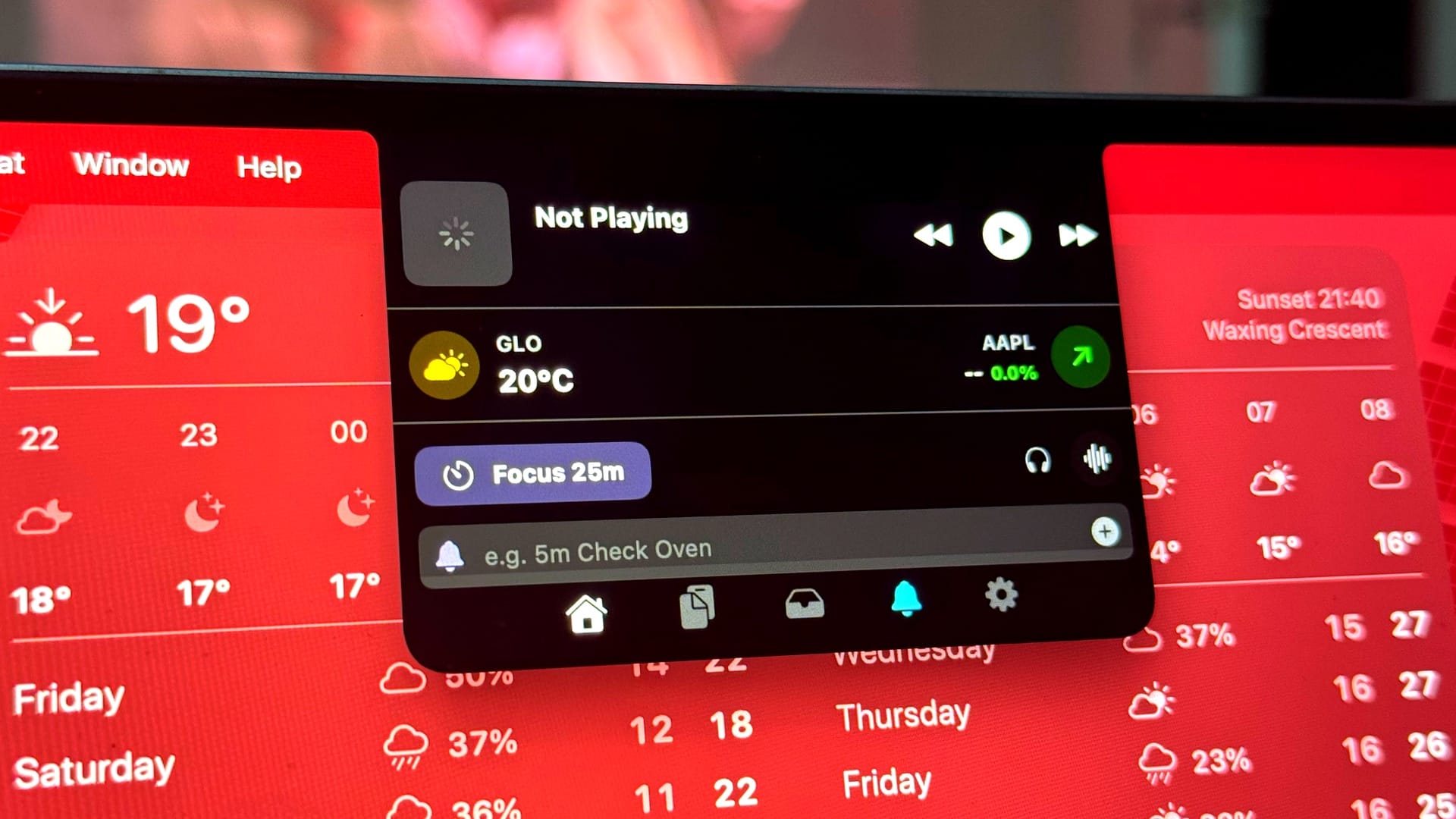
I've looked at other Notch apps before on the Mac, where the lip found on modern MacBooks is used for notifications and ways to interact with other apps. But Korinotch feels like the best modern take on how to take advantage of the notch. Currently available for free for a year if you sign up now, the app gives you glanceable notifications as well as live updates on the weather, stocks, and your Mac's CPU.
For the most part, Korinotch is great, but I did run into a couple of issues. For example, when a track was playing on Spotify, the app expanded the notch every few seconds, and much of the title track was cut off, which led to me switching this off. When a new notification appeared, it would go below the notch, which felt like it was missing the point. Surely this should appear horizontally, similar to the iPhone's Dynamic Island, but knowing how to show information around the actual notch?
Nevertheless, Korinotch is useful when it counts, and I appreciated the other options too, such as locking the keyboard in order to clean it, a colour picker, and more.
Widget Cast
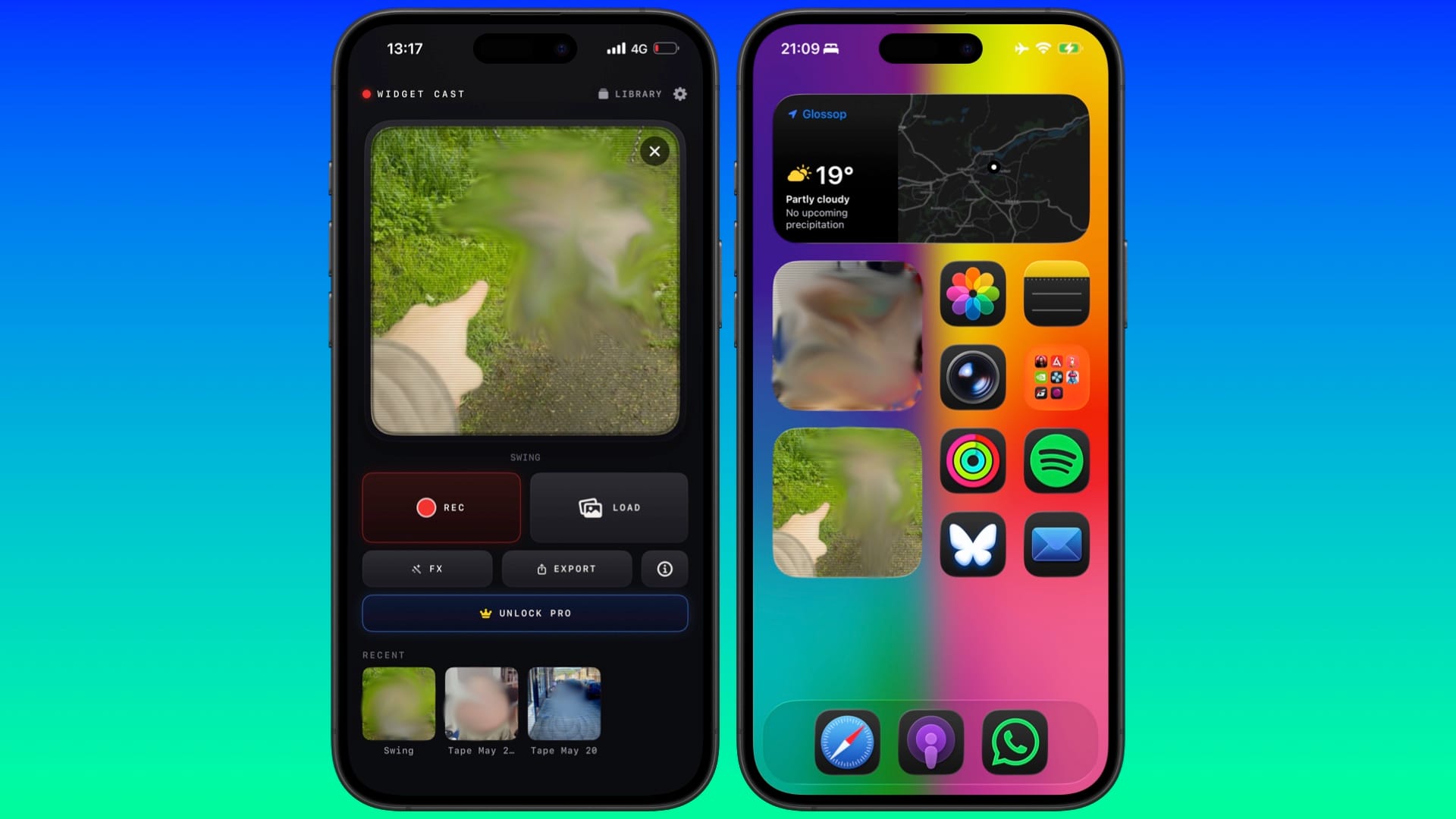
I've always been a fan of widgets, ever since I could use them on my Mac via Dashboard. There are always a few on my iPhone, iPad, and Mac, especially one that features photos of my son. But due to the way widgets are allowed to be built, you can interact with them, but there's not much you can do to animate them. Developer Neil Hodgson has come up with an ingenious way of allowing this on widgets, thanks to a new app he's created called Widget Cast.
Available for free but with a Pro subscription that unlocks new filters and removes a watermark for a fee between $1.99 / £1.99 to $4.99 / £3.99 - the amount is up to you. Widget Cast is very simple to use. You select a video from your library, trim it to fit the widget, add an optional filter, save it, and then add it to your Home Screen. Once loaded, you can press play, and a series of frames will play out. It's a great idea, and fits the mindset of it being a 'widget' by being glanceable. I've already got a bunch of them on my iPhone and Mac. All I'd suggest is a way for them to autoplay and repeat continuously without me ever needing to press the play icon. Otherwise, Widget Cast is fantastically fun to have on your iPhone and Apple Watch.
Despite iOS 27 and the other updates focusing more on refinements, that doesn't mean developers won't be inspired to improve their existing apps or to plan new ones. Visiting CommunityKit this year proved to me how much innovation and passion there is within the developer community.
The period between June and September is usually when developers plan how to release major updates to their apps before the big updates arrive later this year. This means there's going to be plenty to feature in this mini-series. Once again, if you're preparing a big update or a brand new app, do get in touch.